 Plenous
Write. Plan. Draw.
اكتب. خطّط. ارسم.
One calm workspace for your docs, projects, whiteboards and handwritten notes. It works offline, keeps your data on your machine, and speaks English and Arabic natively.
- Works offlineEverything saved on your device first
- English & ArabicFull right-to-left interface
- Your data, your keysAI keys never leave your device
- Mac · Windows · LinuxNative apps, signed updates
One workspace
Four ways to think, one place to keep it.
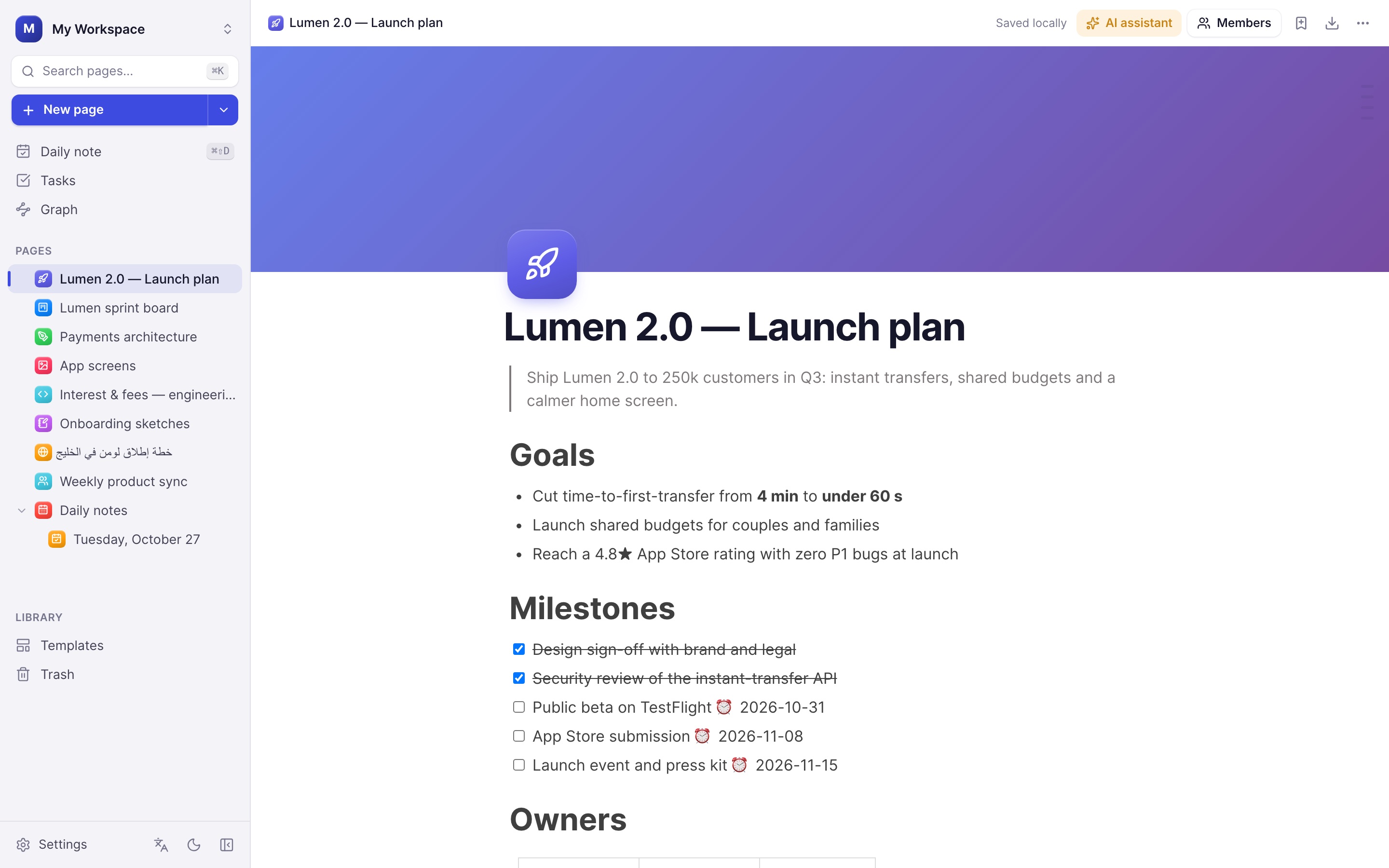
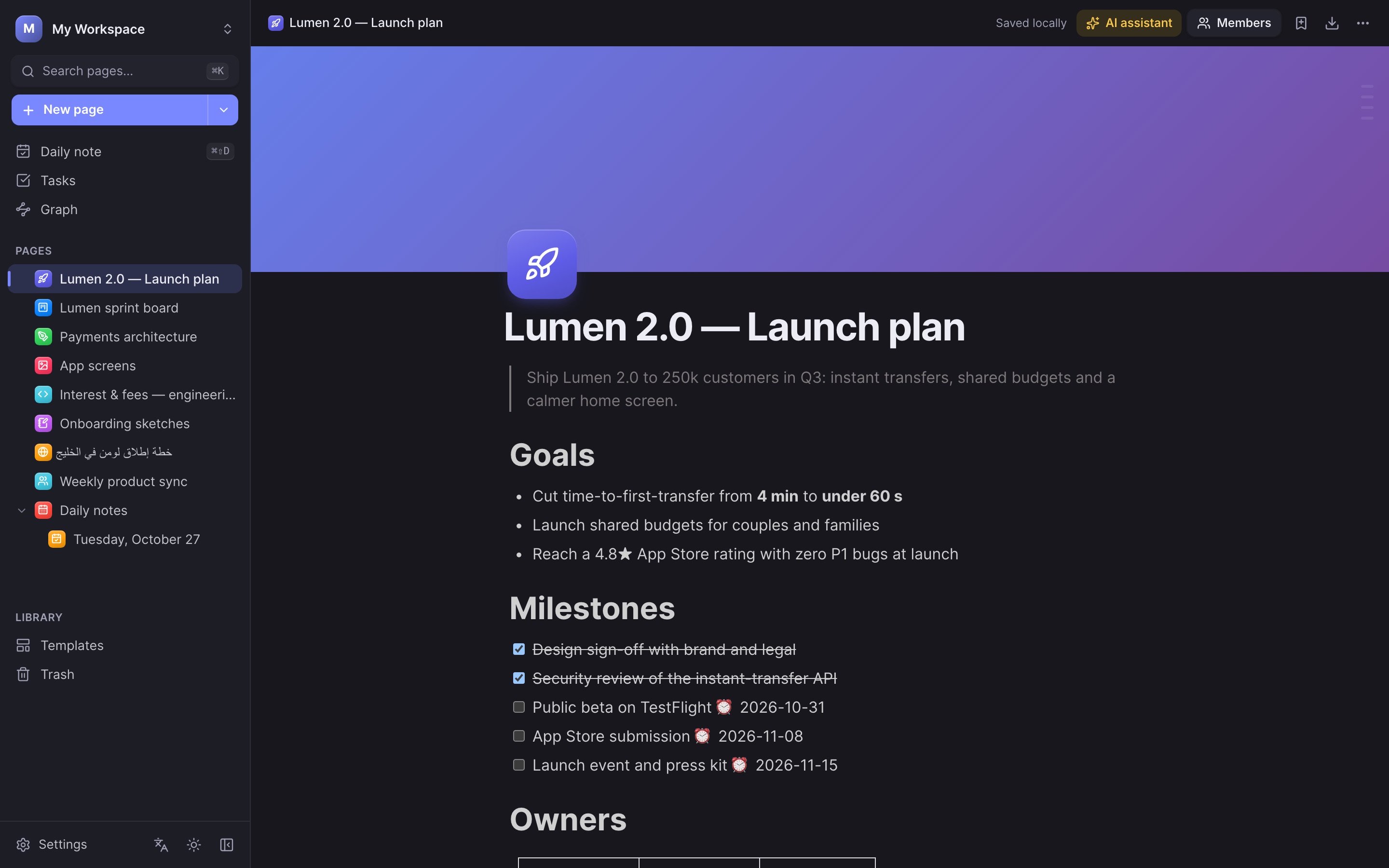
Every page can be a document, a database, a whiteboard or a notebook. Link them with @, embed one inside another, and find anything in a keystroke.
Docs
A block editor with slash commands, tables, code, math, embeds and reminders.
Projects
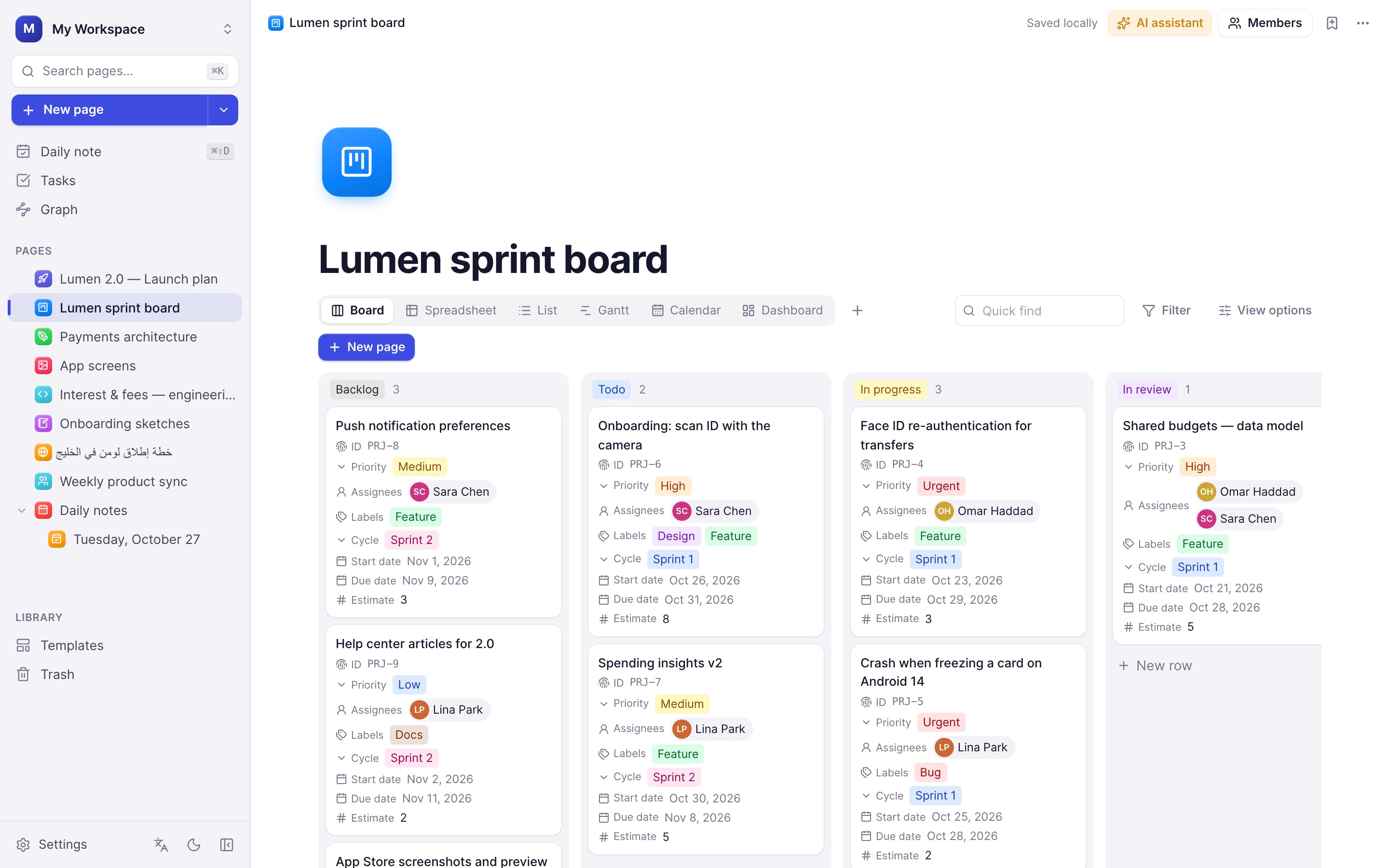
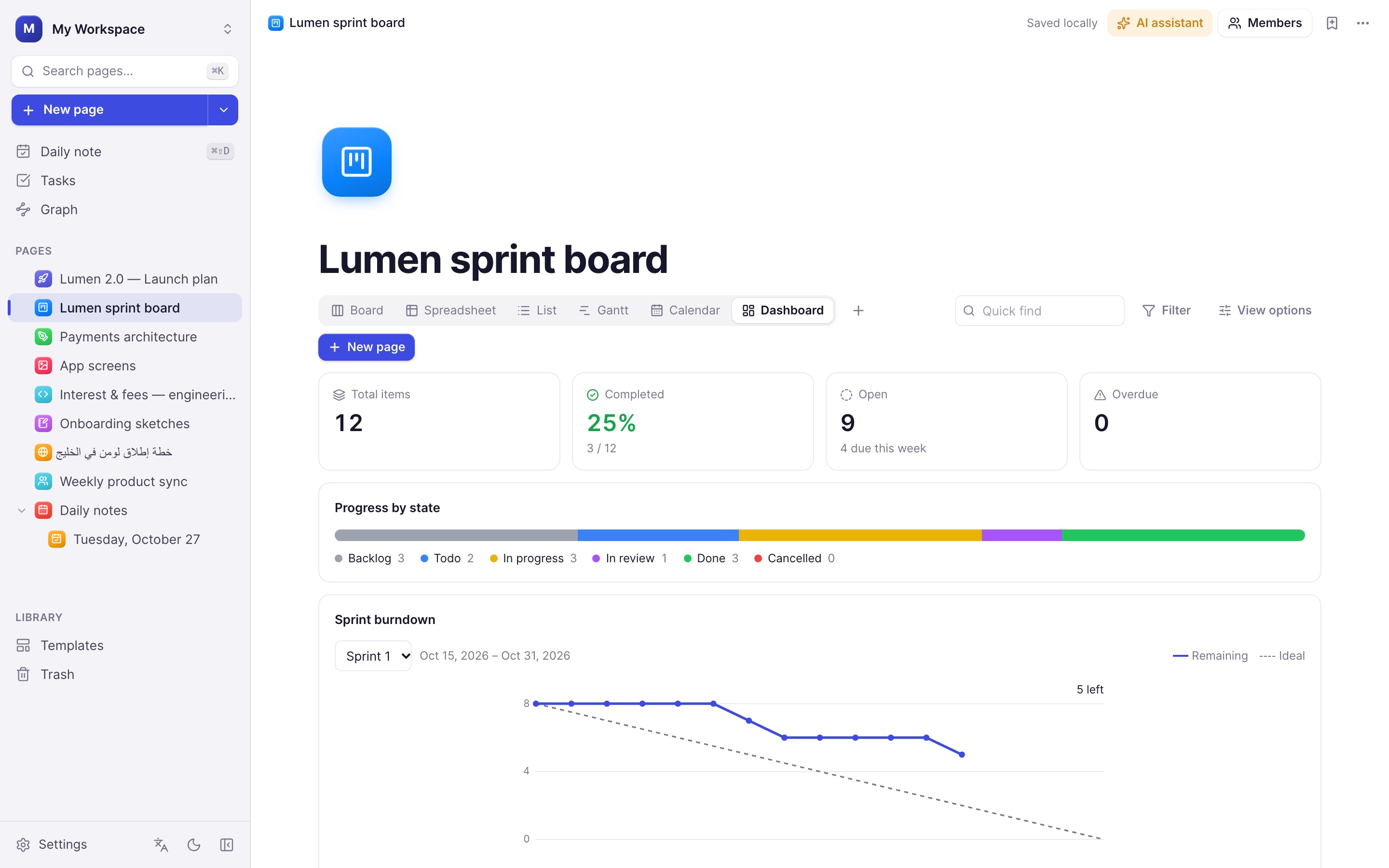
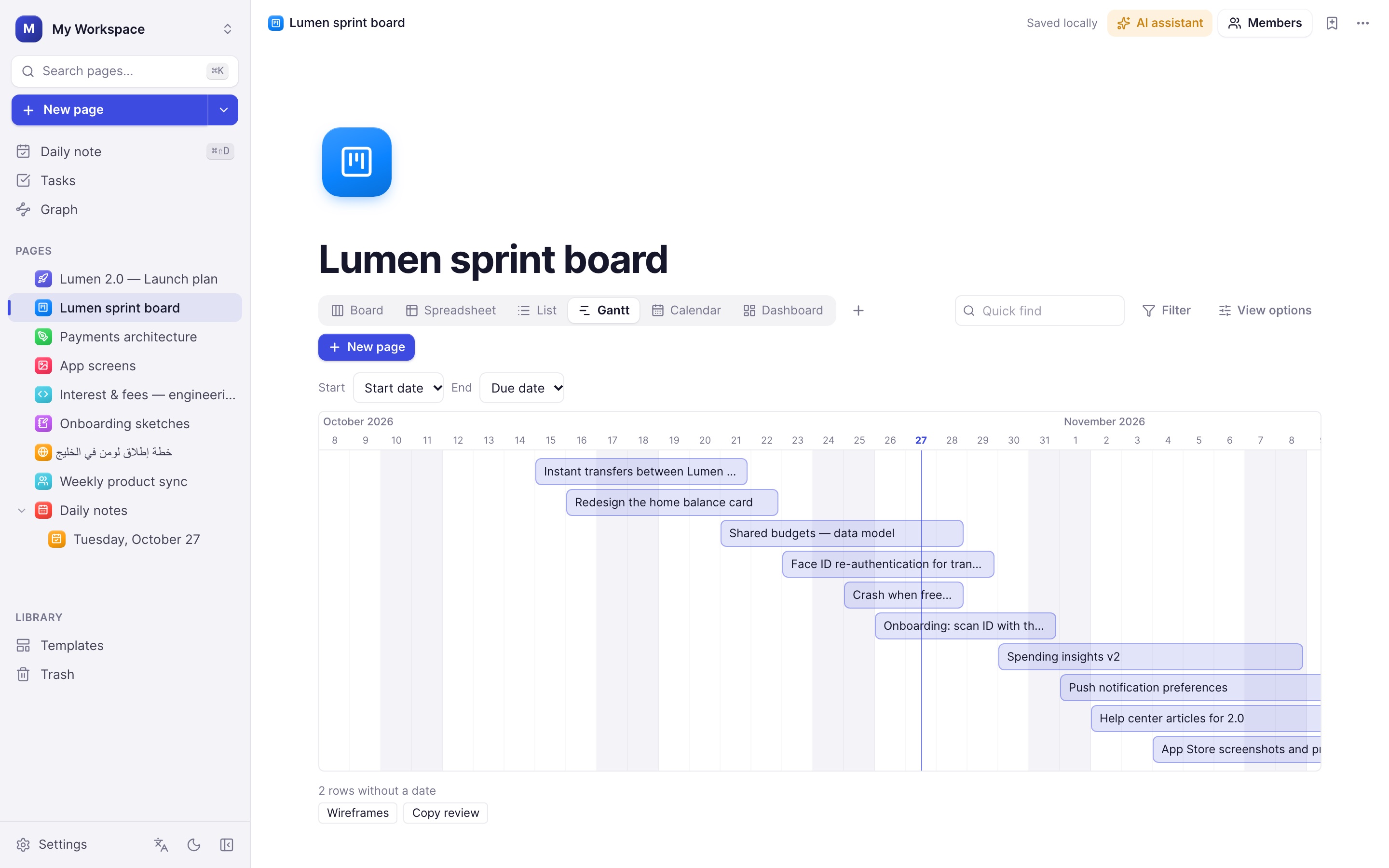
Databases with board, table, list, calendar, Gantt and dashboard views.
Whiteboards
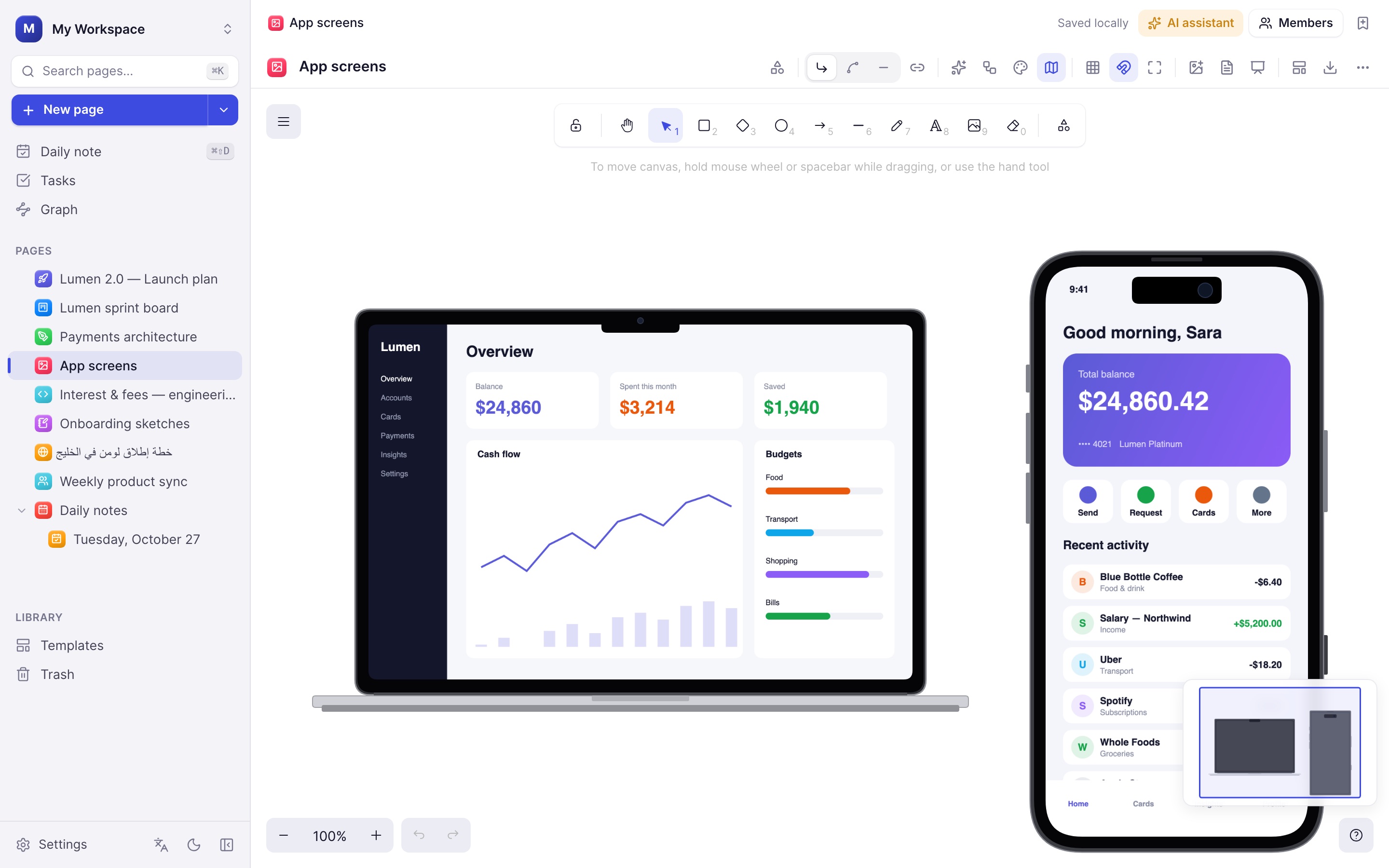
Diagrams, flowcharts, device mockups and presentations on an infinite canvas.
Handwriting
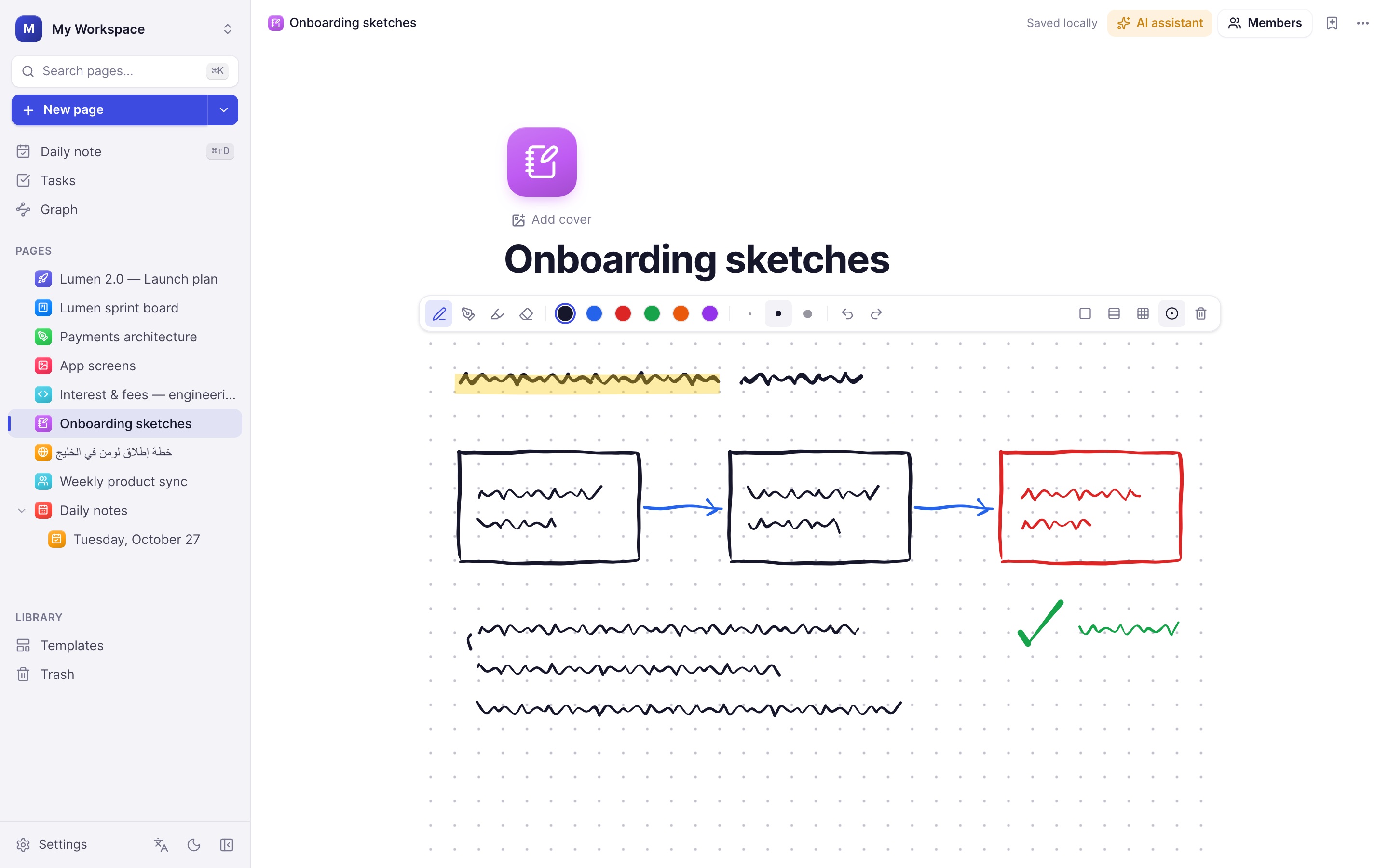
Notebook pages and inline sketches with real pen pressure and palm rejection.
Docs
A writing surface that stays out of your way.
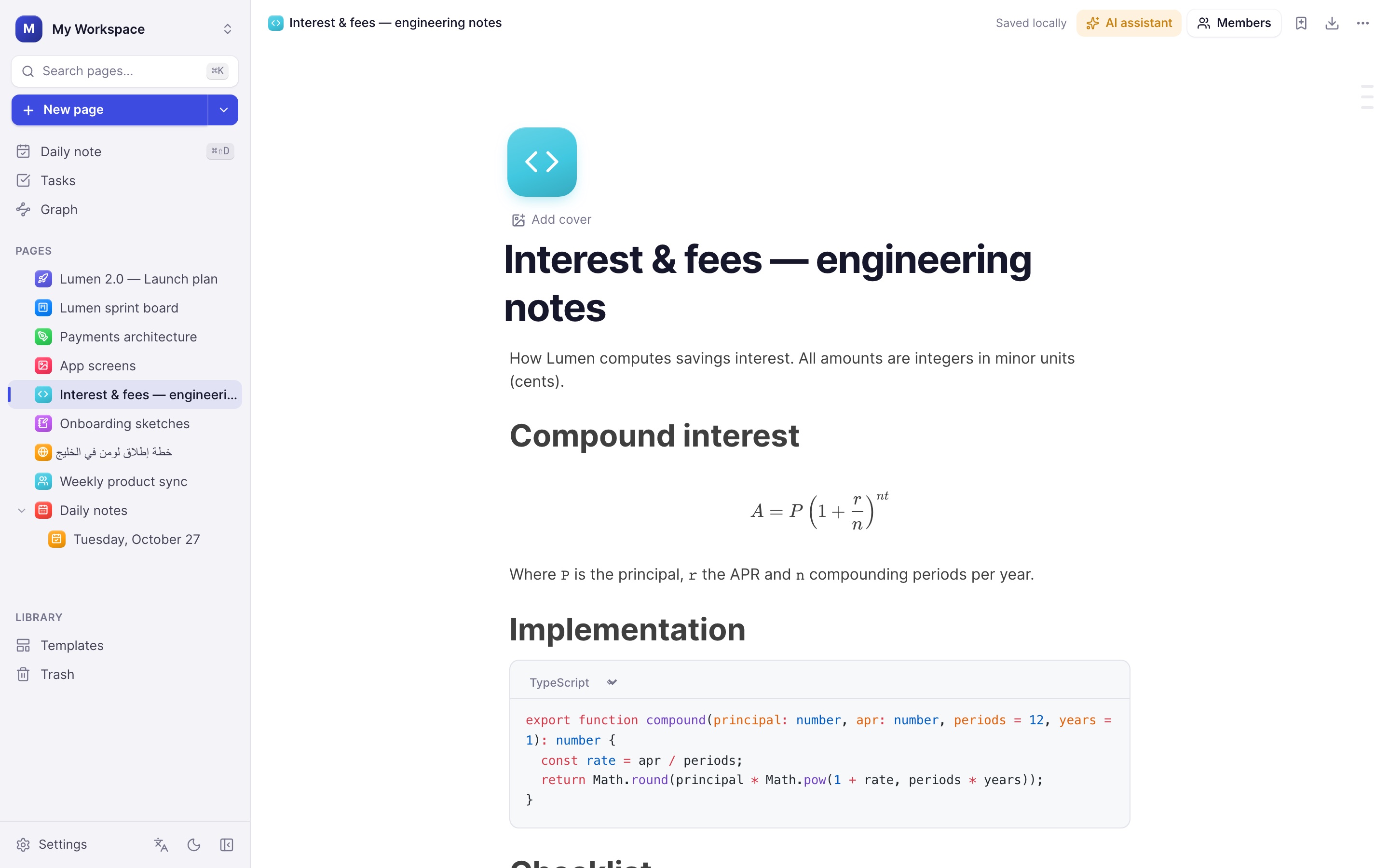
Type / for any block, @ to link a page, and ⏰ with a date to turn a checklist item into a reminder. Pages keep a full version history.
- Tables, code with syntax highlighting, LaTeX math and embeds
- Inline AI: rewrite, summarise, translate or continue writing
- Live co-editing when you connect a team server
- A4, Letter and more with page breaks shown; export to PDF, Markdown or text
Projects
Plan sprints like the tools your team already knows.
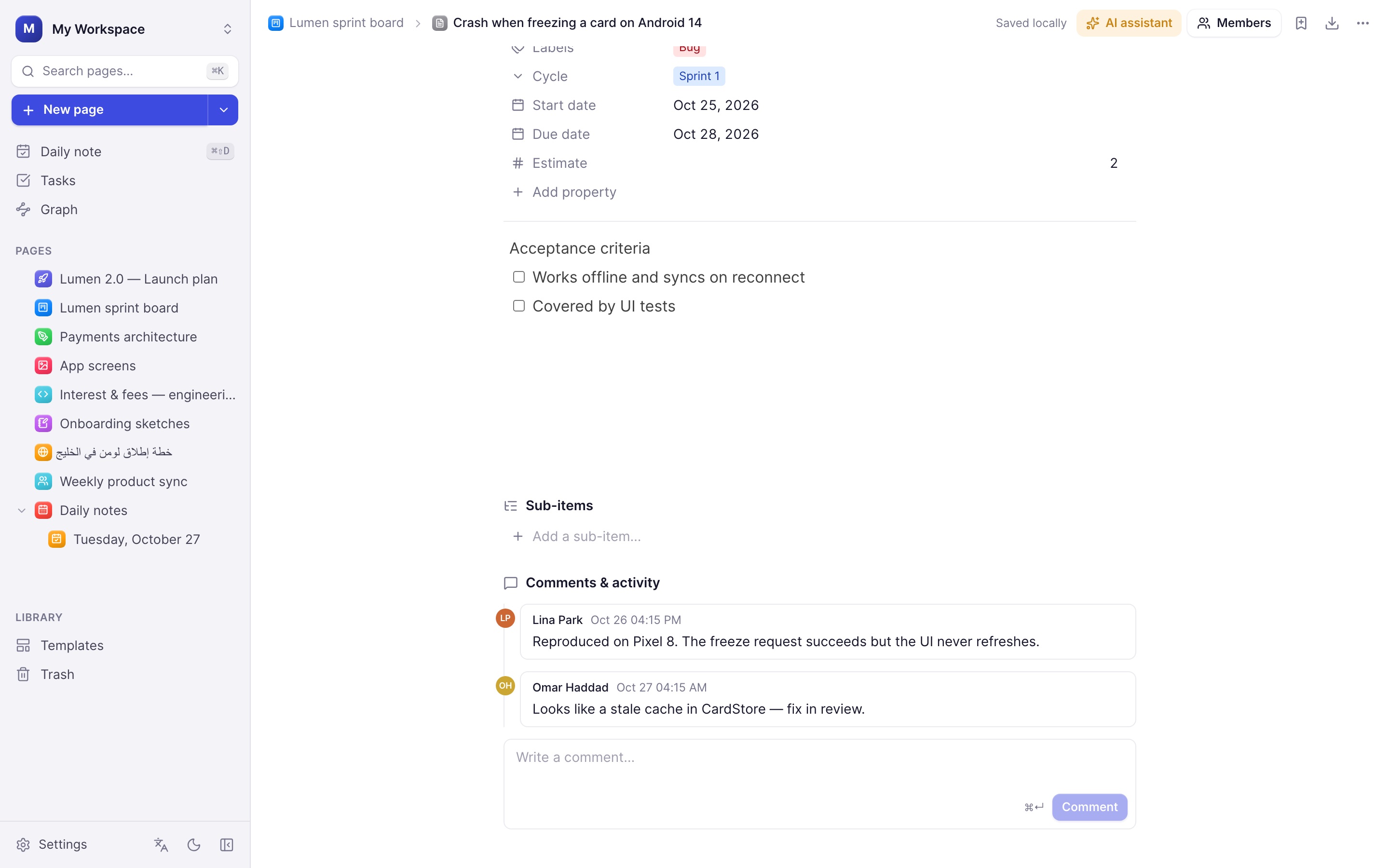
Start from the Project tracker template and get IDs, states, priorities, assignees, labels, cycles and estimates in seconds.
- Board, spreadsheet, list, Gantt, calendar and dashboard views
- Sub-items, comments and an automatic activity log
- Sprint burndown, workload and overdue work at a glance
Whiteboard
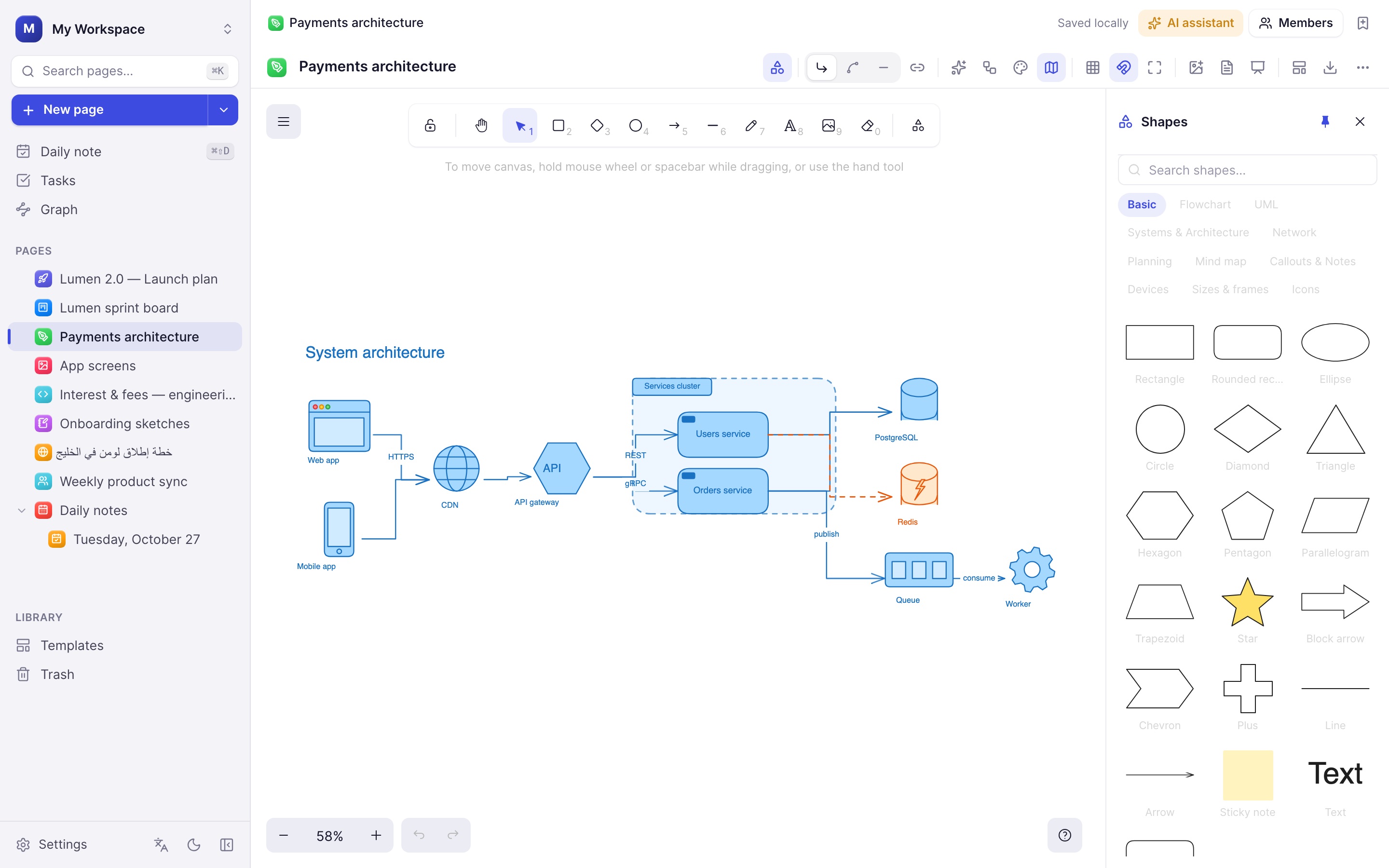
From a rough idea to a clean architecture diagram.
Hundreds of shapes, connectors that stay attached, auto-layout, colour themes and a minimap. Describe a diagram in words and let AI draw it.
- Flowcharts, UML, network and mind-map shape libraries
- iPhone, iPad, MacBook, browser and watch mockups
- Frames become slides — present right from the board
New in 0.8 and 0.7
Teach, collect answers, read documents, let agents help.
Teaching · new in 0.8
Turn a PDF into slides and teach from it.
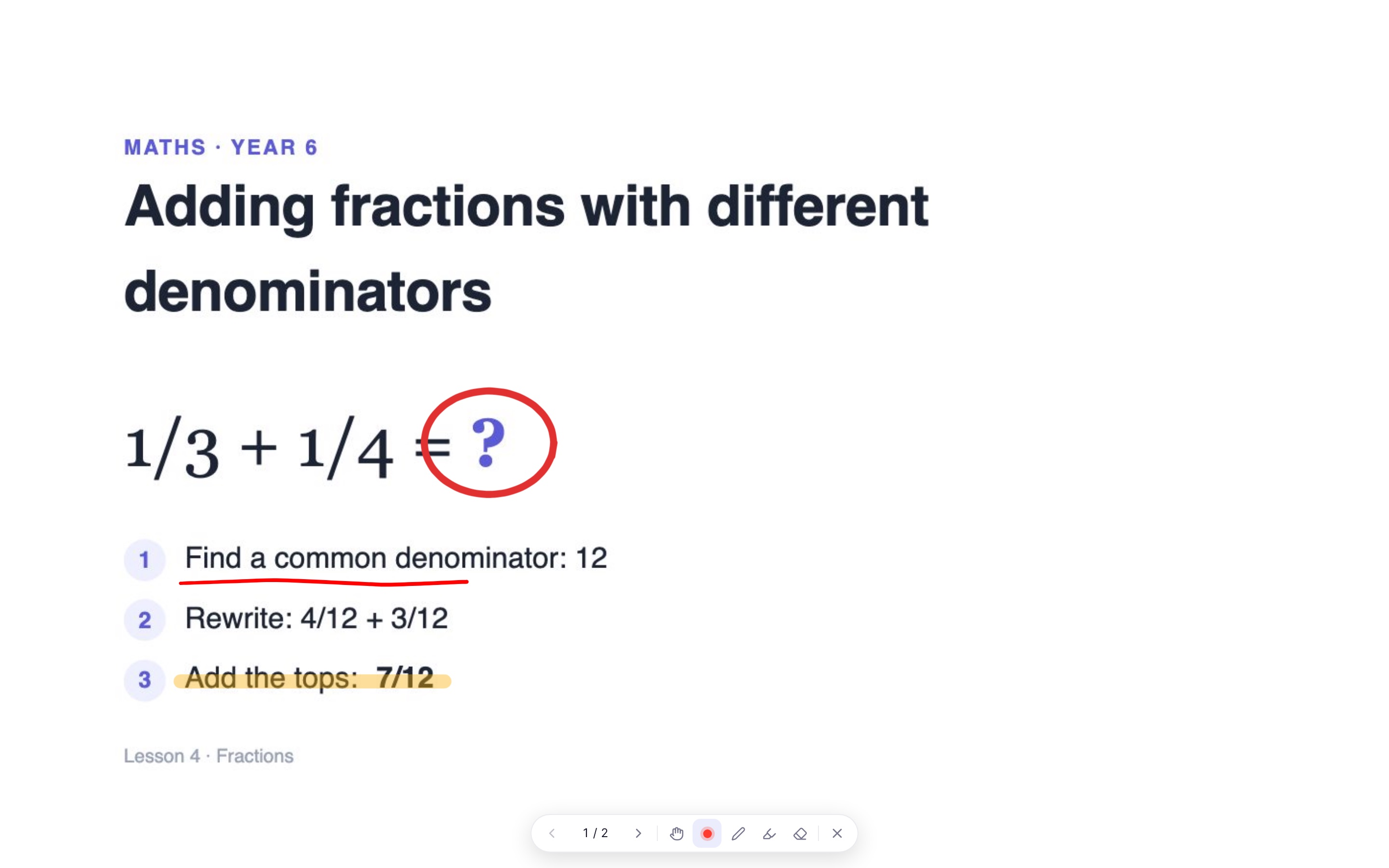
Drop a lesson PDF on a whiteboard and every page becomes a slide. Present it full screen, share your screen in Zoom, Meet or Teams, and point and mark as you explain.
- Laser pointer with a trail that fades on its own
- Pen and highlighter right on the slide
- Drawing while presenting is temporary: your lesson stays clean
- Keys 1 to 4 switch tools, arrows change slides
Forms
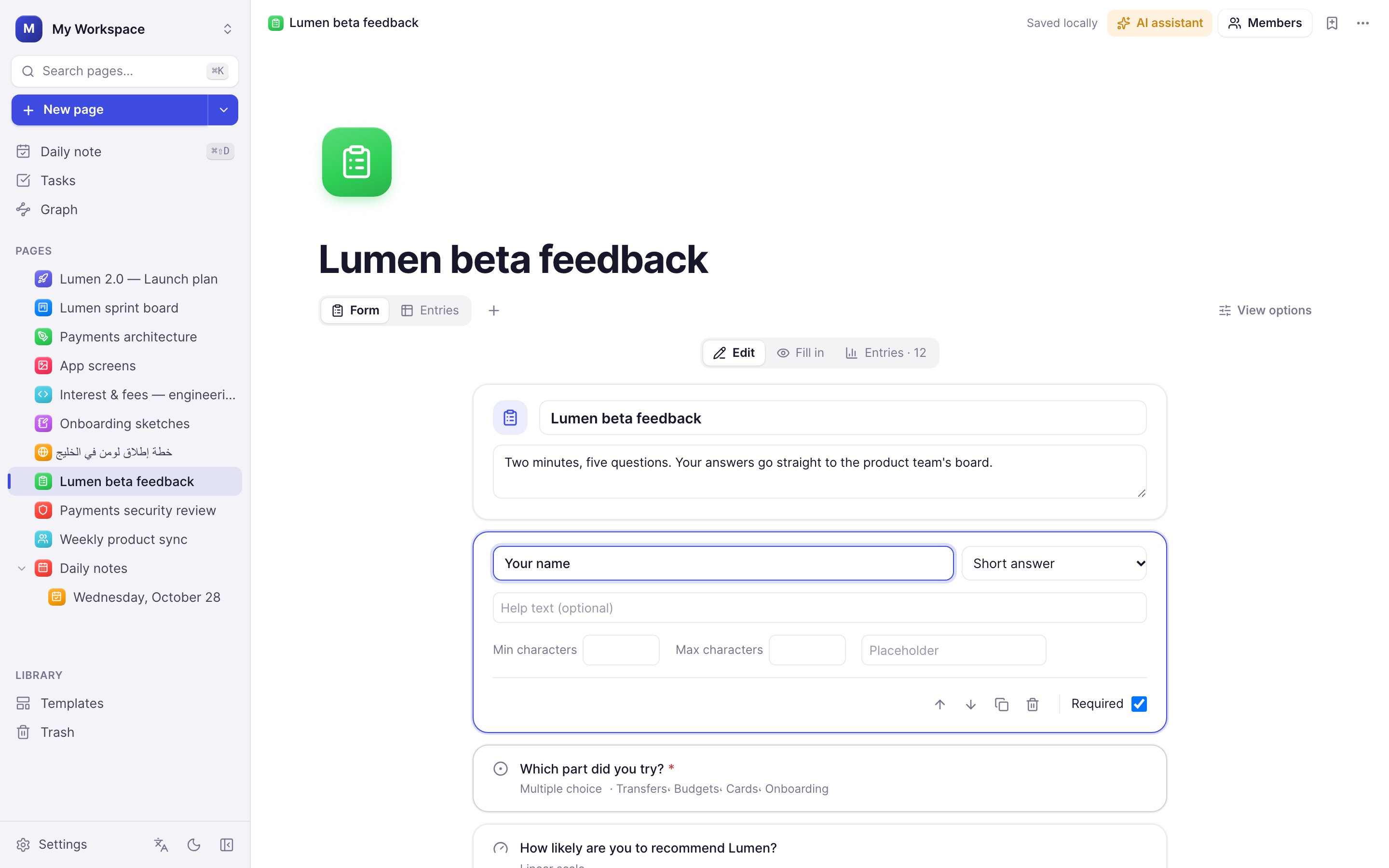
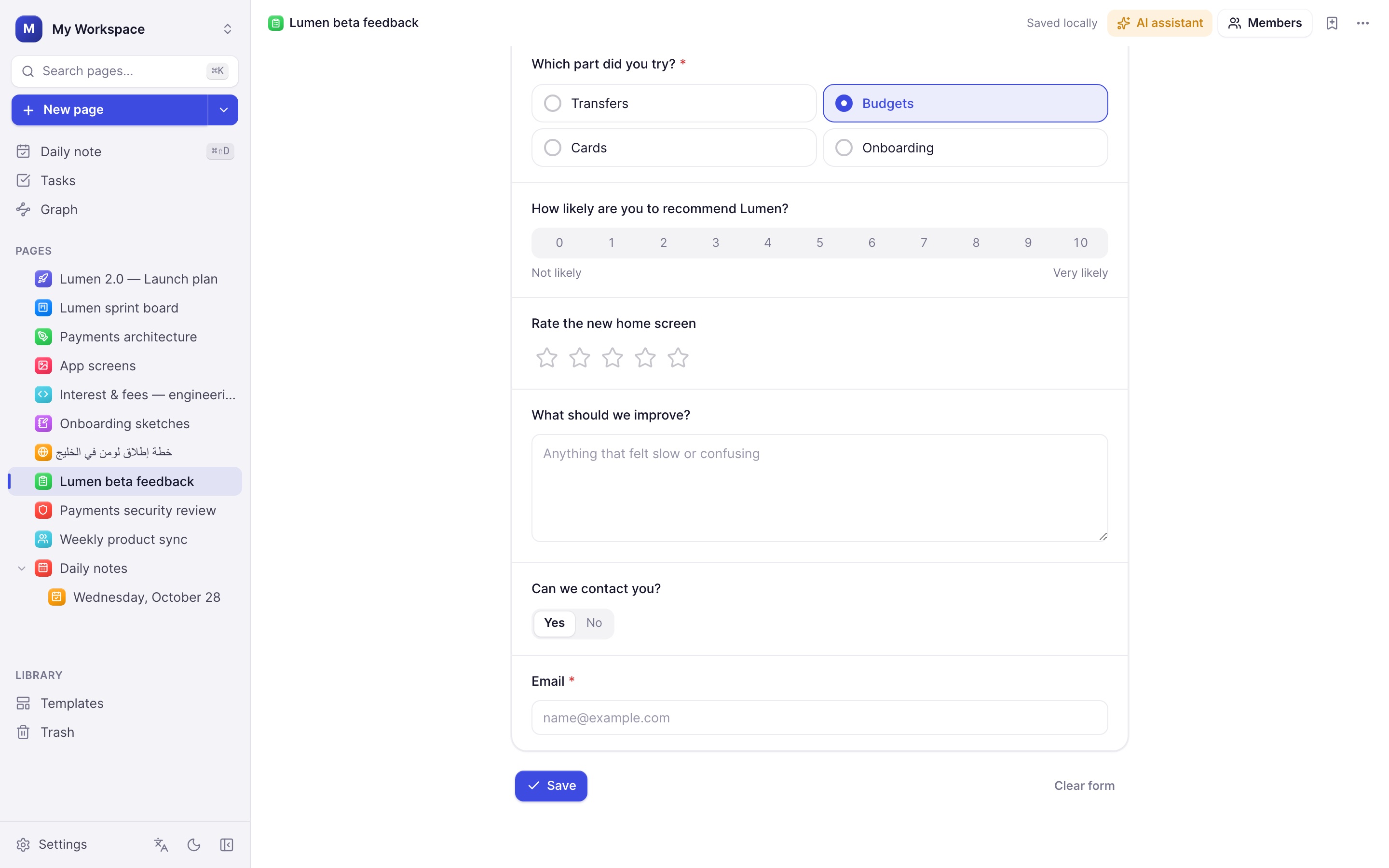
Build a form, and every answer becomes a row.
Turn any database into a form. Each question is tied to a column, so a saved entry lands straight in the table where you sort, filter and chart it like the rest of your work.
- Thirteen question types: choices, scales, star ratings, dates, email and more
- Sections and "show only if" rules that follow earlier answers
- Required fields, length and range checks
- An entries summary with counts and averages
PDF & Word · new in 0.8
Bring your documents in.
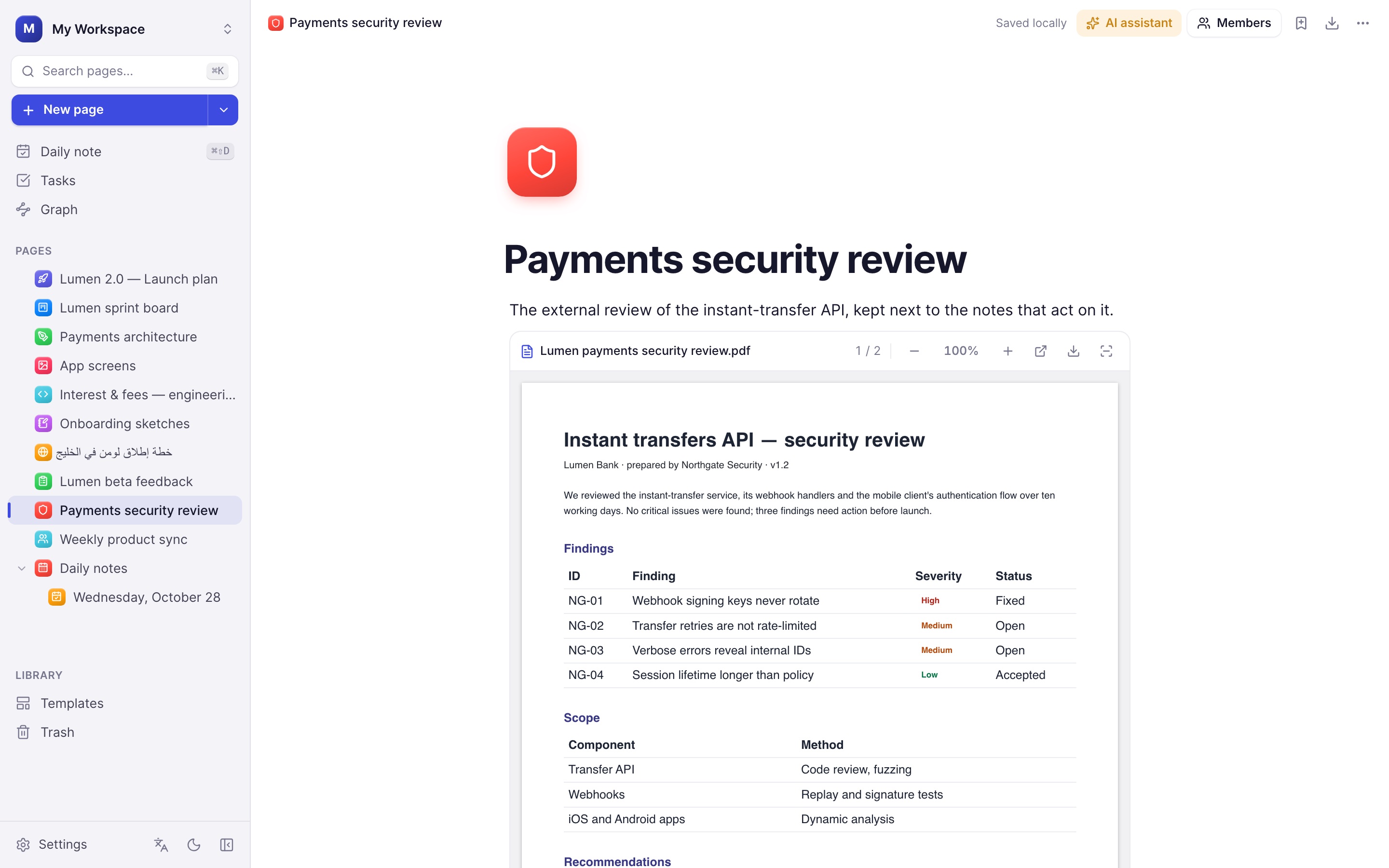
Import a PDF or Word file as an editable page, with headings, lists and tables kept. Or keep the original: the PDF viewer shows every page inside your notes.
- Zoom, page count and adjustable height
- Open in your system viewer or save a copy
- Attachments up to 200 MB in the desktop app
AI agents
Connect Claude, ChatGPT and other agents.
Plenous speaks the Model Context Protocol (MCP), so an agent on your computer can search your pages, write notes, update project boards and fill in forms. You decide how far it goes.
- Three access levels: read only, edit, or full
- Optional approval before every change
- Runs on your computer only, protected by a private token
- An activity log of everything an agent did
You → Claude
Add the three open findings from the security review to the sprint board, assigned to Omar.
Claude → Plenous
search_pages · read_page · add_database_rows ×3
Approved in Plenous · 3 work items created
Also new
Secrets, schemas and your own colours.
Environments · new in 0.6
Your .env files, side by side.
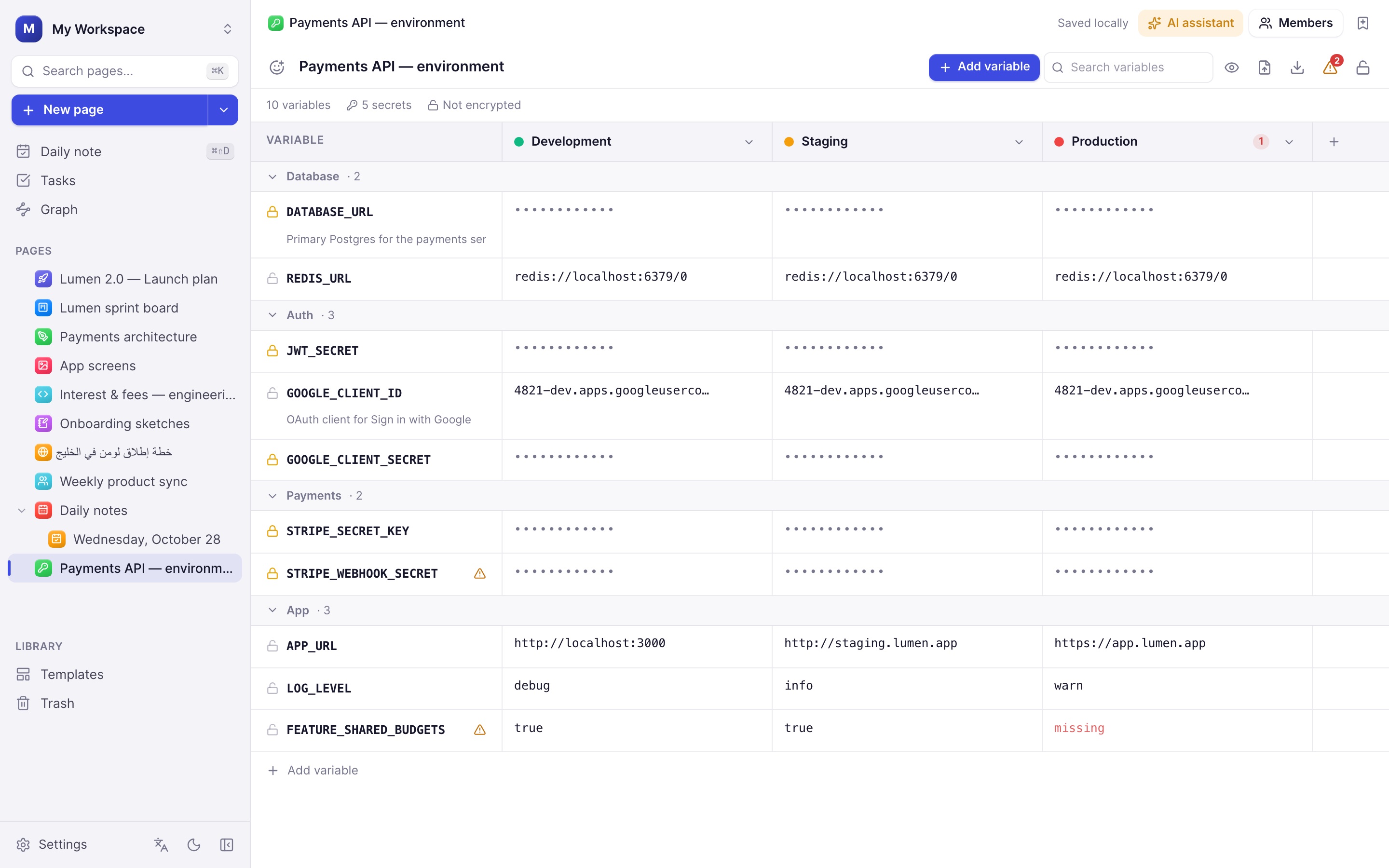
Keep every key, password and URL for Development, Staging and Production in one table. Spot what's missing, generate strong secrets and export exactly the file each place needs.
- Secrets masked until you reveal them
- Optional passphrase: AES-256 encryption on your device
- Import .env; export .env, .env.example, JSON, YAML, shell, Docker or Kubernetes
- Checks for missing values and secrets shared with production
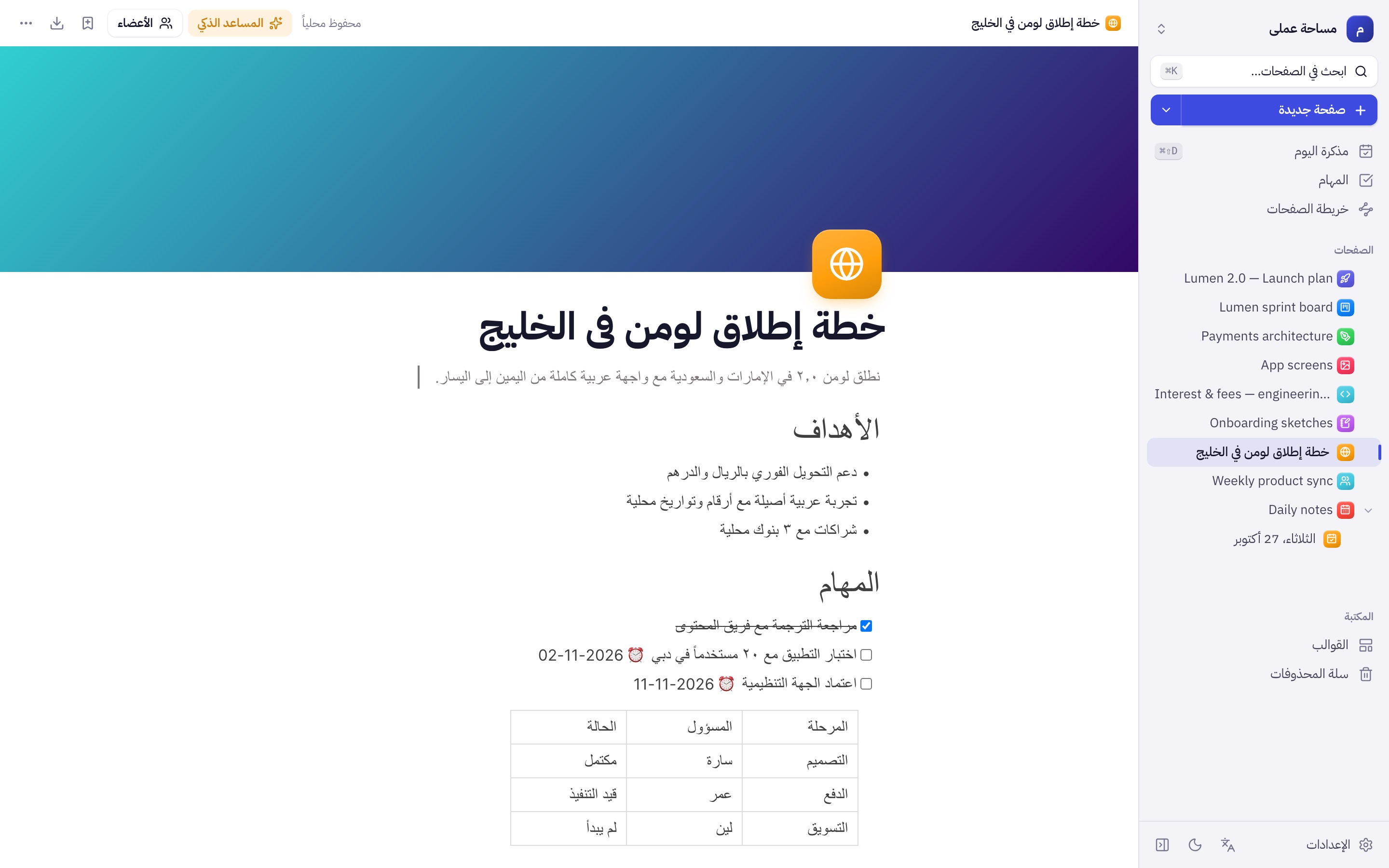
Database design · 0.5
Model your schema, then ship the SQL.
Draw tables and typed fields, drag a field onto another table to relate them, and export ready-to-run SQL for PostgreSQL, MySQL, SQLite or SQL Server.
- One-to-one, one-to-many and many-to-many with junction tables
- Keys, indexes, enums, defaults and ON DELETE rules
- Validation, SQL import, DBML and Mermaid export
- Realistic sample data with valid foreign keys
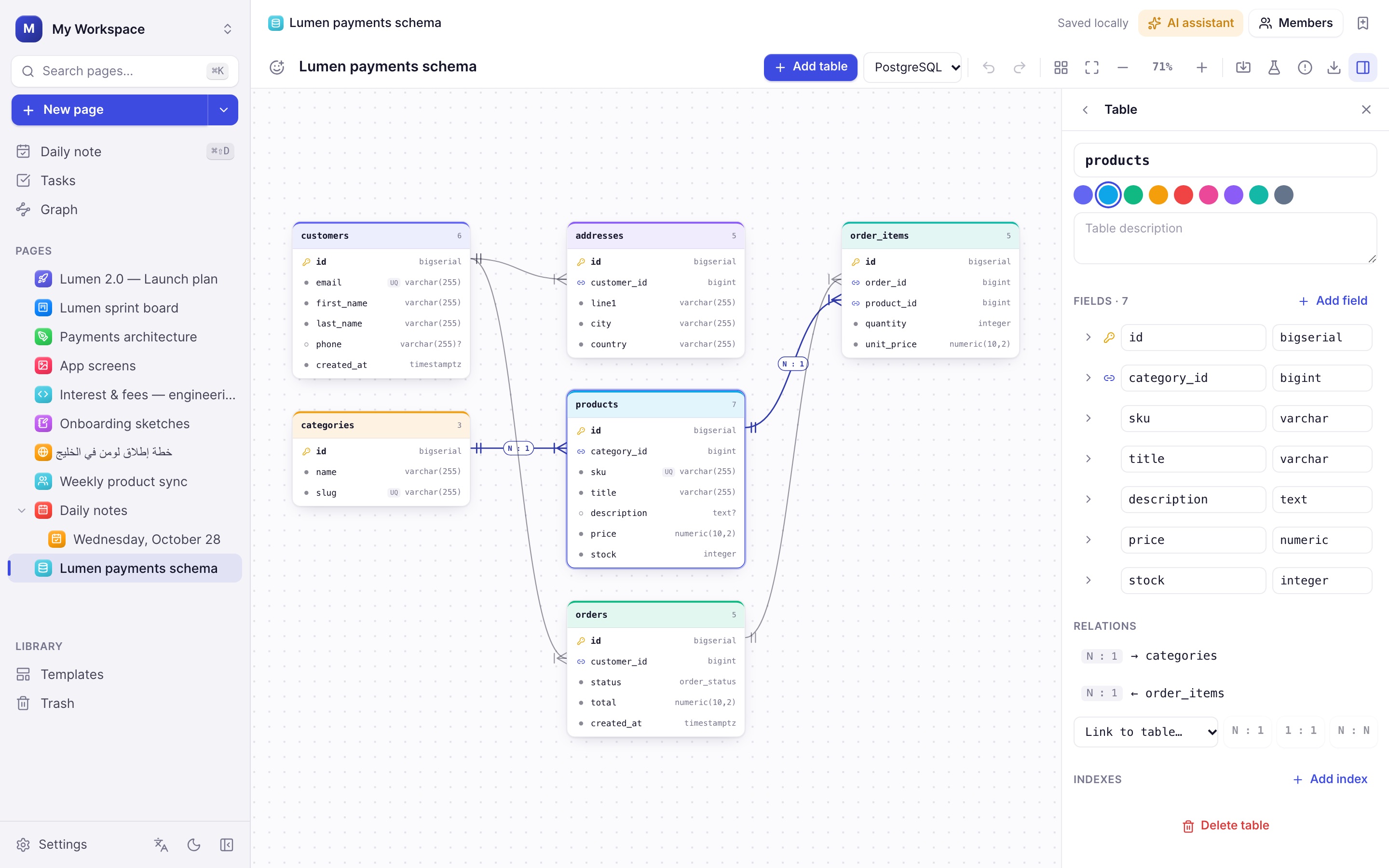
Themes
Twelve colour themes, light and dark.
From calm Graphite and Paper to Nord, Solarized and Dracula. Every theme has a light and a dark version, and the redesigned settings show each one before you pick it.
- Light, dark or follow the system
- Readable text on every accent colour
- Whiteboards follow the theme you choose
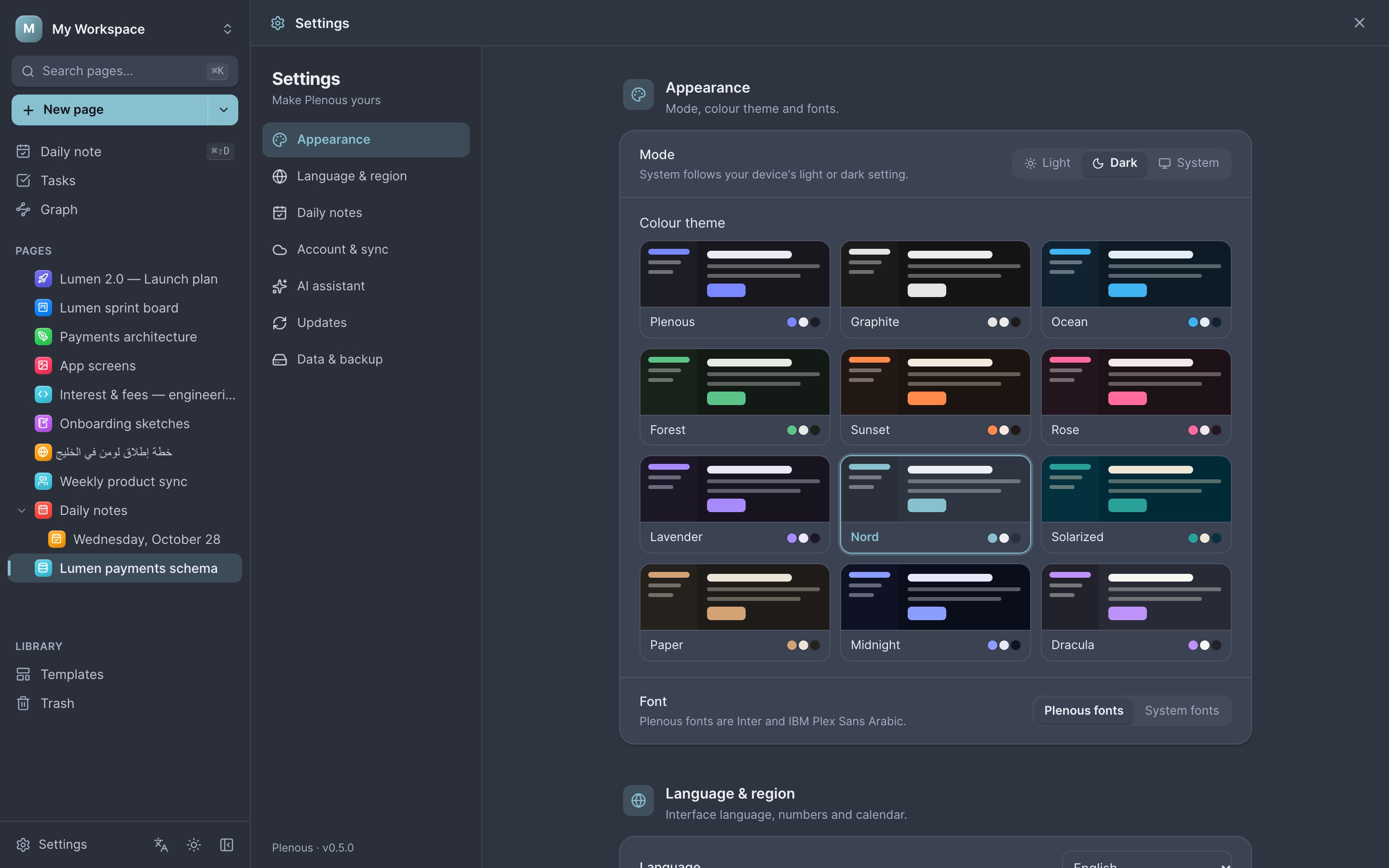
Arabic & English
Built right-to-left from day one.
Not a translated afterthought. Every screen mirrors correctly, mixed Arabic and English text keeps its order, and dates, digits and the week start follow your language.
واجهة عربية كاملة، ونصوص مختلطة بترتيب صحيح، وتواريخ وأرقام محلية.
Local-first
Your notes live with you.
Plenous stores everything on your device first. Connect a server only when you want to share.
Works offline
Write, plan and draw without a connection. Changes sync when you are back online.
Sync across devices
Sign in to keep your workspaces in sync between your Mac, Windows and Linux machines.
AI on your terms
Start free: connect OpenRouter in one click and use free models. Or bring your own Anthropic key, or run models locally with Ollama and LM Studio.
Teams and roles
Workspaces with owners, admins, editors, commenters and viewers. Live co-editing included.
Version history
Every page keeps its history. Compare versions and restore any of them.
Signed updates
The app checks for new versions and installs signed updates in one click.
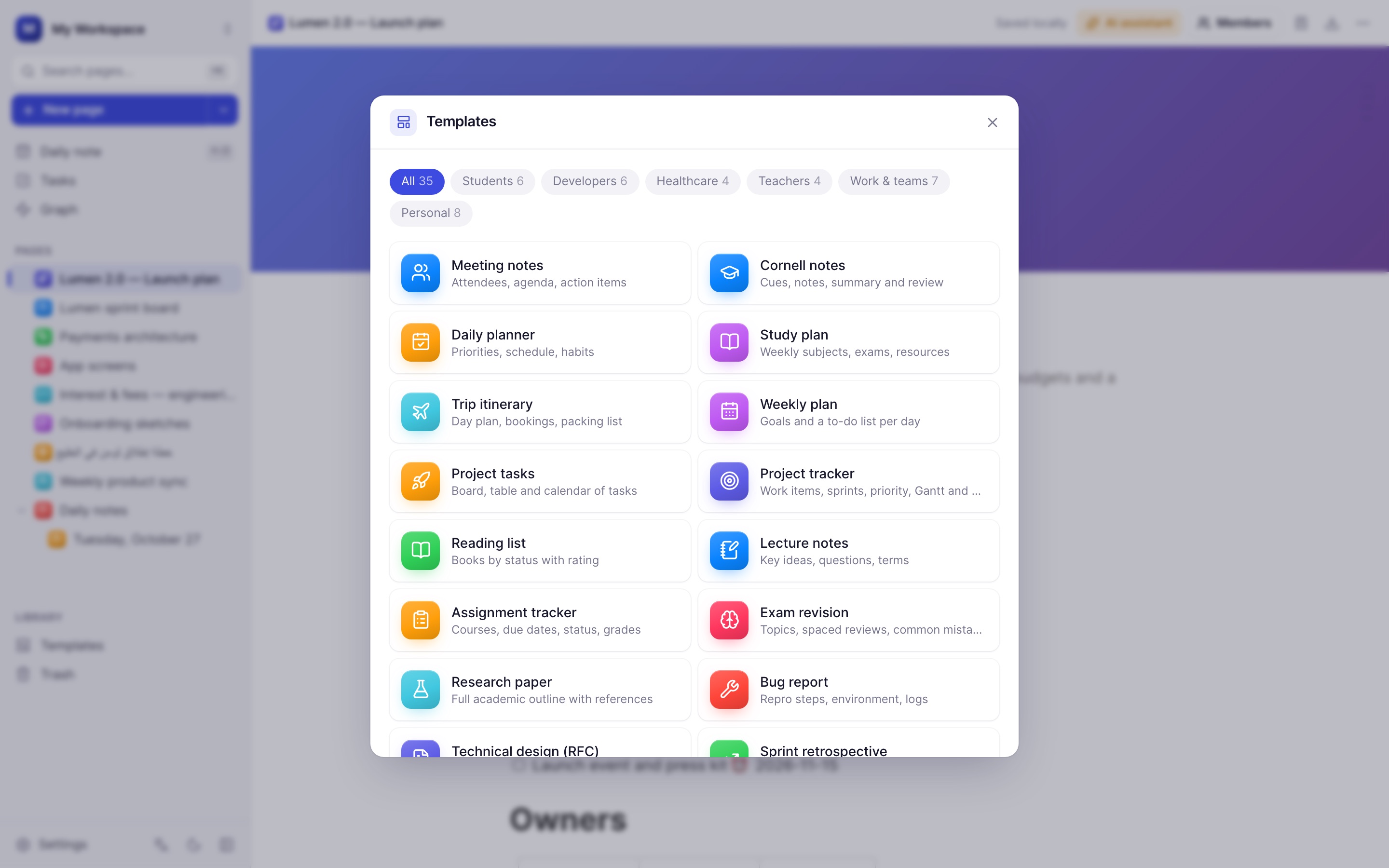
Templates
Start from 35 professional templates.
Lecture notes and assignment trackers for students. Bug reports, RFCs and retros for developers. SOAP notes and handovers for clinicians. Lesson plans and gradebooks for teachers.
- Every template builds in English or Arabic
- Save any page as your own template
- Pick a template for your daily note
Everywhere you work