 Plenous
Features
Everything you need.
Nothing you have to fight.
A tour of what Plenous does today. Every feature works offline and in both English and Arabic.
Docs
Write with blocks, link everything.
Headings, lists, checklists, quotes, tables, images, files, code and more — each block can be dragged, nested and turned into another.
Slash commands
Insert any block with / and search it in English or Arabic.
Page links & backlinks
Type @ to link a page; every page lists what links to it.
Code blocks
Automatic language detection, 30+ languages, light and dark themes.
Math
LaTeX equations rendered as you type.
Embeds
YouTube, Figma, Google Maps, Docs, Loom, Spotify and more.
Reminders
Add ⏰ and a date to any checklist item to get notified.
Table of contents
Long pages show an outline you can jump through.
Version history
Browse, compare and restore earlier versions of a page.
Page layout
A4, A5, Letter or Legal, portrait or landscape, with page breaks shown as you write.
Import & export
Import Markdown, Notion exports and CSV; export PDF, Markdown or plain text, or print.
Projects & databases
One dataset, every view you need.
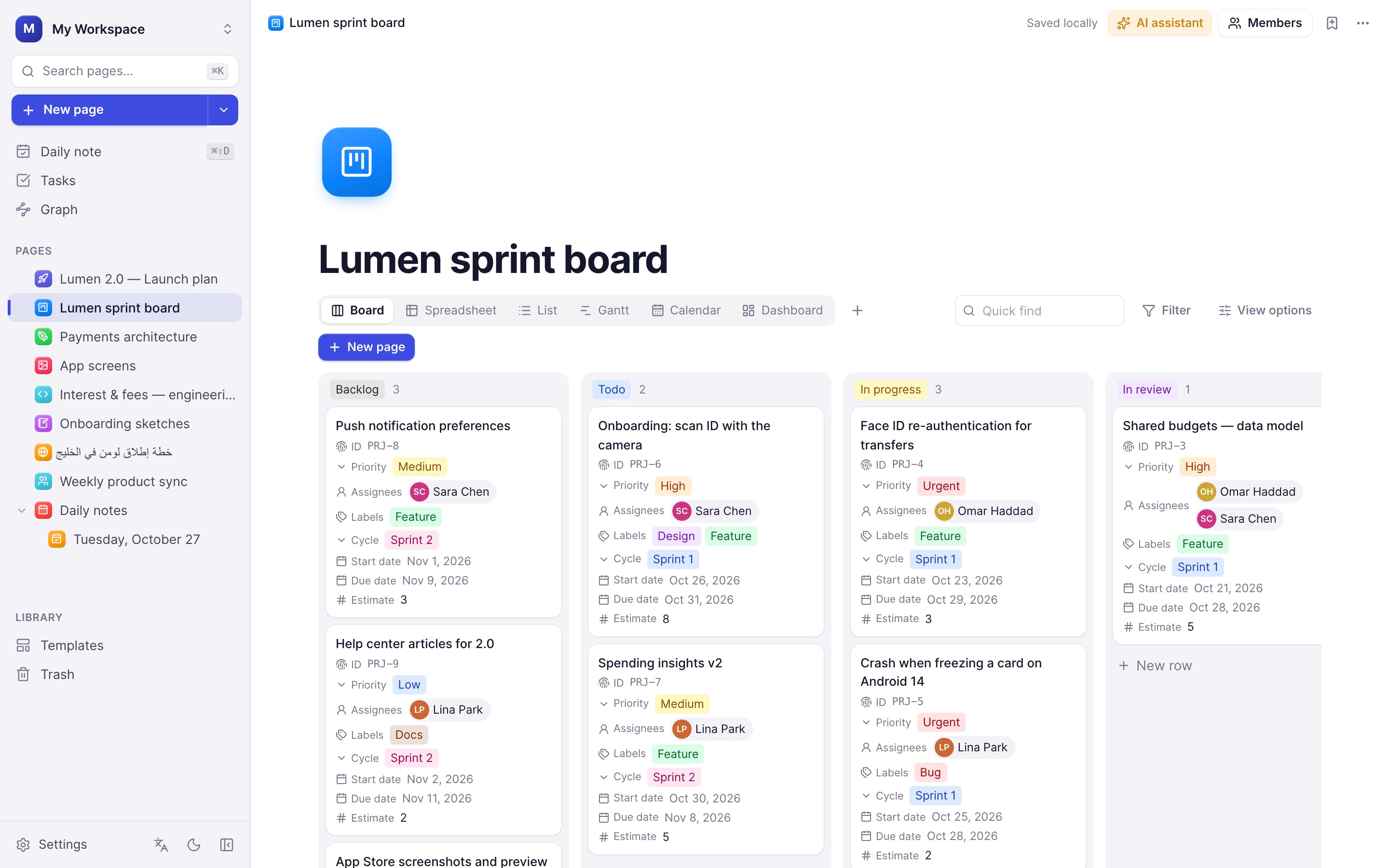
Databases are made of pages, so every row is a full document. Filter, sort and group them, then switch between views without losing anything.
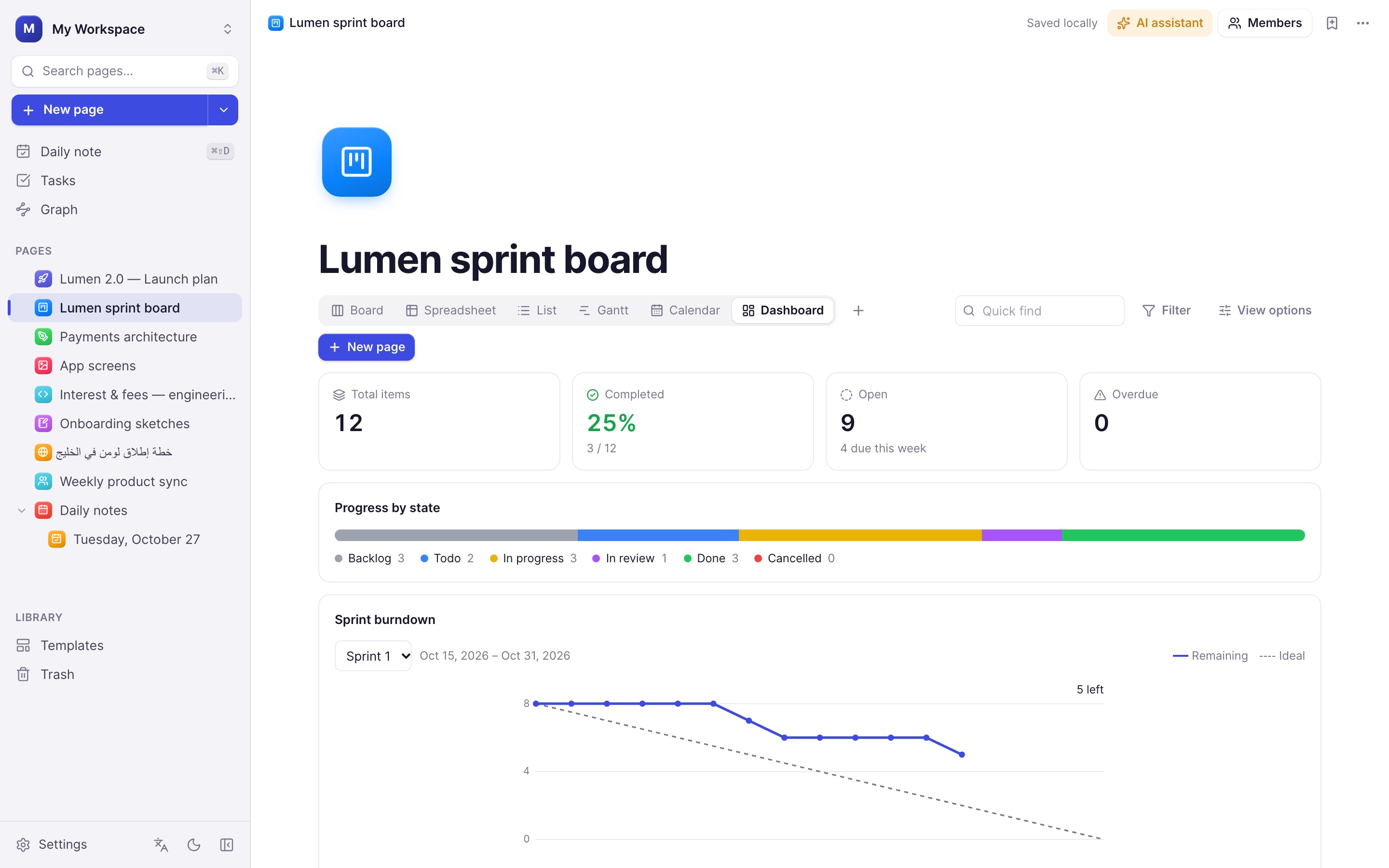
Seven views
Table, board, list, calendar, timeline (Gantt), gallery and dashboard.
Work-item IDs
Automatic IDs like PRJ-12 with your own prefix.
Assignees
Person properties with workspace members and avatars.
Sub-items
Break work down; parents show progress.
Comments & activity
Discuss items and see who changed what, and when.
Sprint burndown
Remaining work per day against the ideal line.
Dashboards
Totals, completion, overdue items and breakdowns by any property.
Linked views
Embed any database view inside a document.
Filters
Nested and/or filters, relative dates and quick find.
Dashboards
Status reports that write themselves.
Progress by state, workload by assignee, overdue work and the sprint burndown — always current, no spreadsheets.
Whiteboard
A professional canvas for systems and ideas.
Built on Excalidraw with a full shape library, connection points on every shape and arrows that stay attached as you move things around.
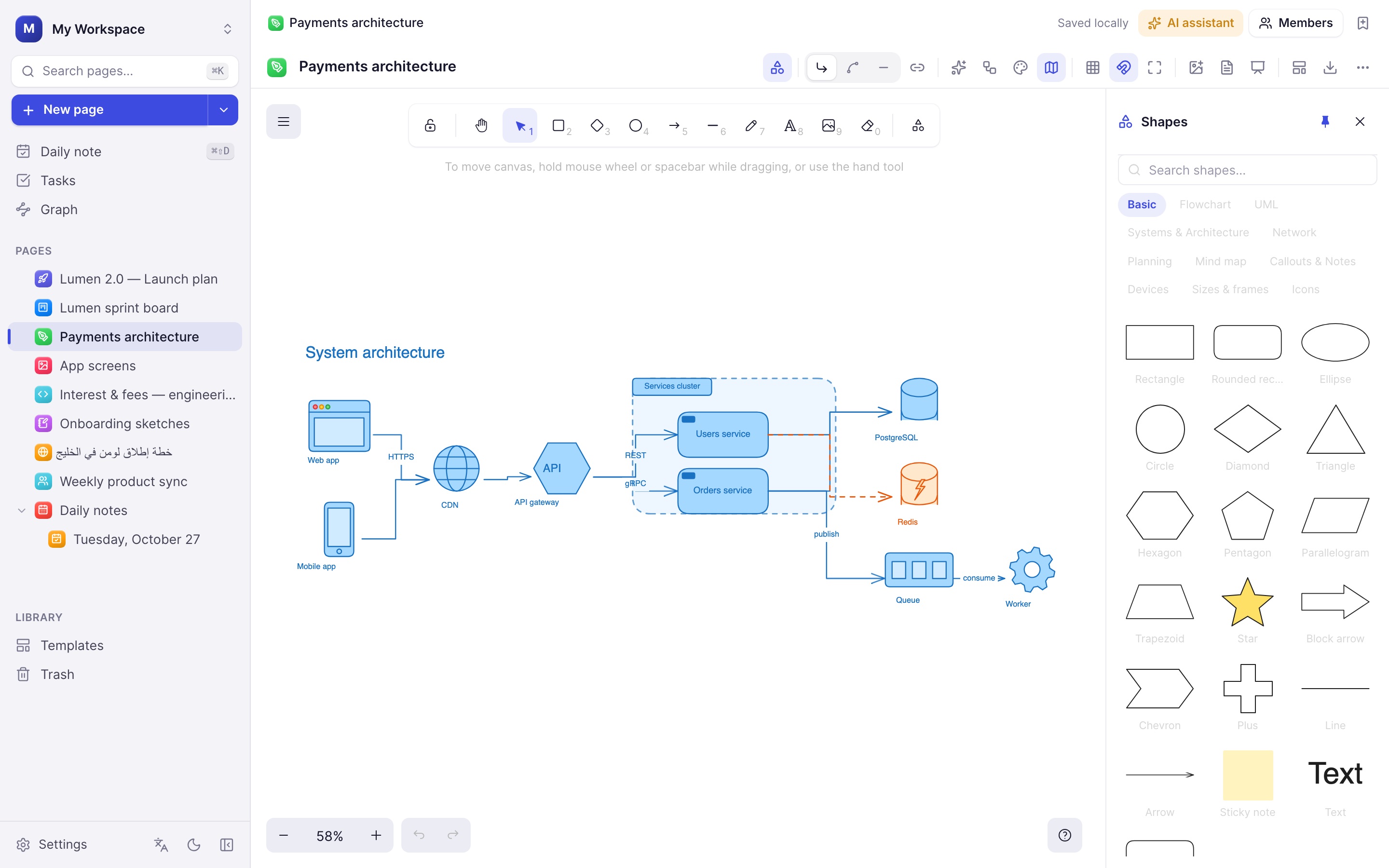
Diagram from text
Describe a diagram and AI draws it, or paste Mermaid code.
Auto-layout
Tidy connected shapes top-to-bottom or left-to-right.
Connection points
Drag from a shape's side to connect it, or click to add the next step.
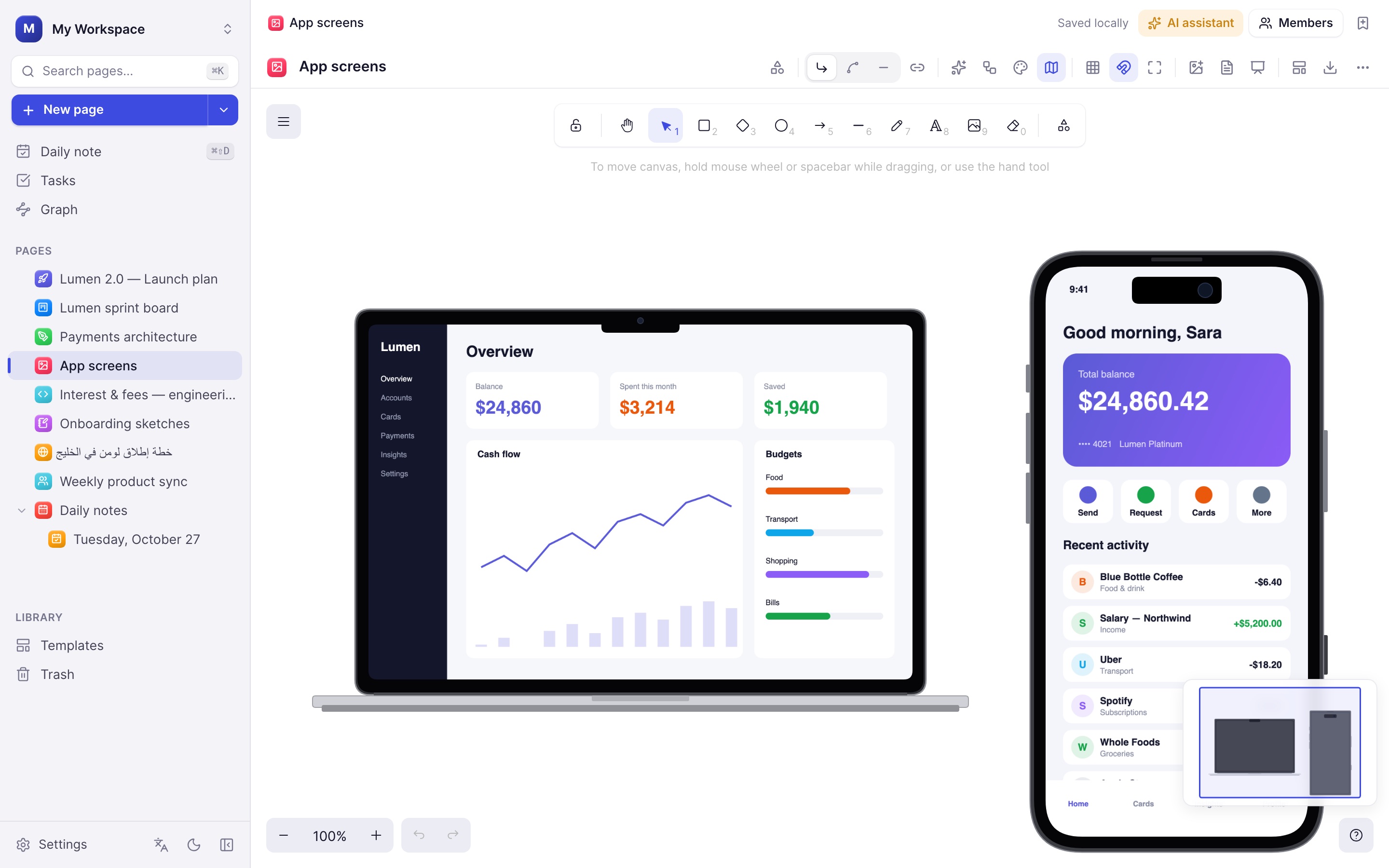
Device mockups
iPhone, iPad, MacBook, iMac, Apple Watch and browser frames.
Frames & presenting
Canva-style sizes; present frames as slides.
Page cards
Drop any page onto the board as a linked card.
Colour themes
Restyle a whole diagram in one click; clean or hand-drawn.
Minimap
Find your way around large boards.
Export
PNG, SVG or clipboard, with scale and background options.
Mockups
Show the real thing.
Drop a screenshot onto a device and it fits the screen exactly, under the Dynamic Island or notch.
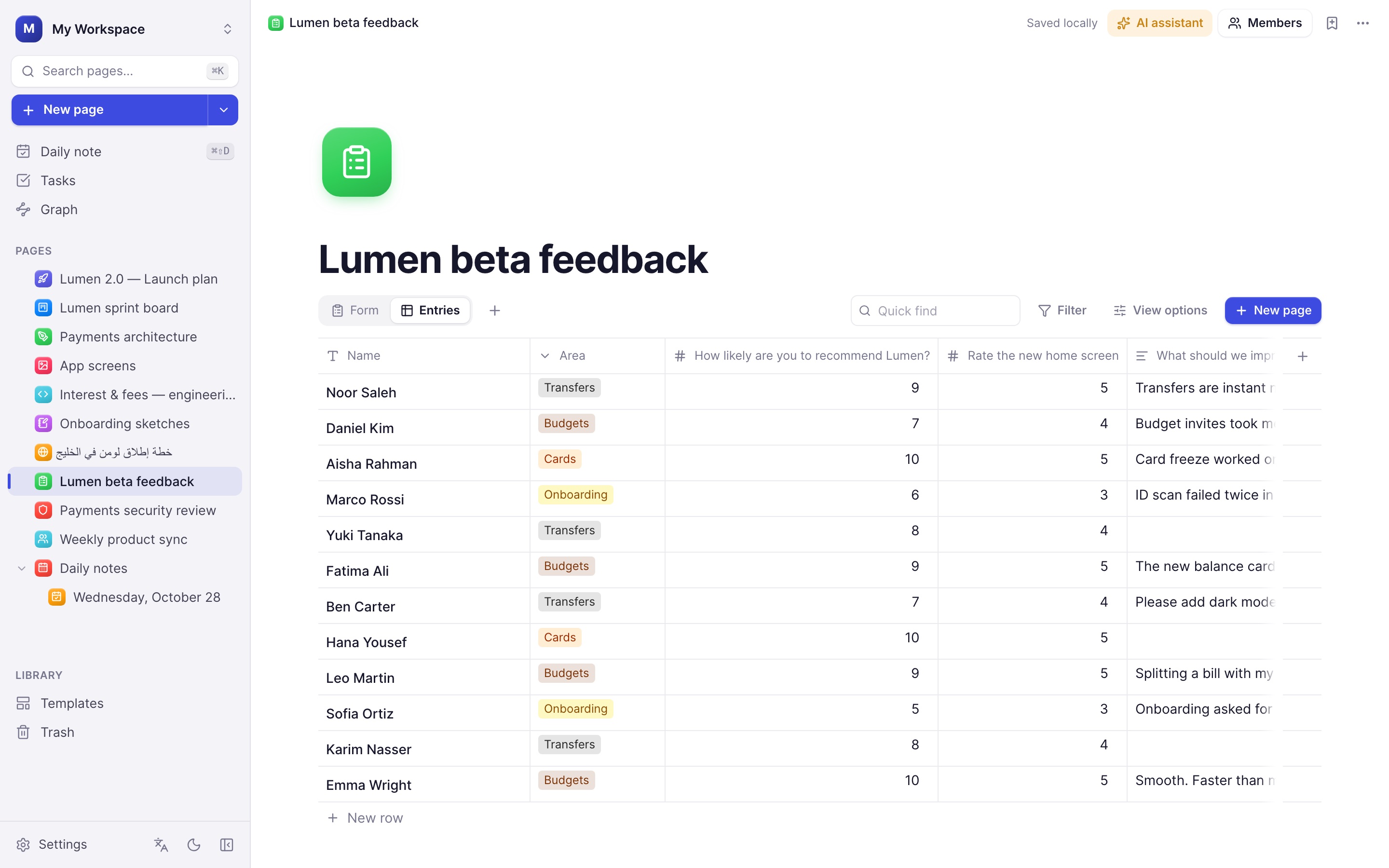
Forms
Forms that fill your tables.
A form is a view of a database: every question writes to a column and every saved entry is a new row.
Thirteen question types
Short and long text, choices, checkboxes, dropdowns, yes/no, scales, star ratings, numbers, dates, email, phone and links.
Show only if
Hide a question until an earlier answer matches.
Sections
Split a long form into steps.
Checks
Required answers, email format, length and number ranges.
Entries
A summary with counts, averages and the latest answers.
Your design
Forms follow your theme, language and full-width setting.
Teaching · new in 0.8
Present a lesson and mark it up live.
Insert a PDF as slides on a whiteboard, press Present, and use the laser, pen and highlighter while you explain. When you finish, the board is exactly as you prepared it.
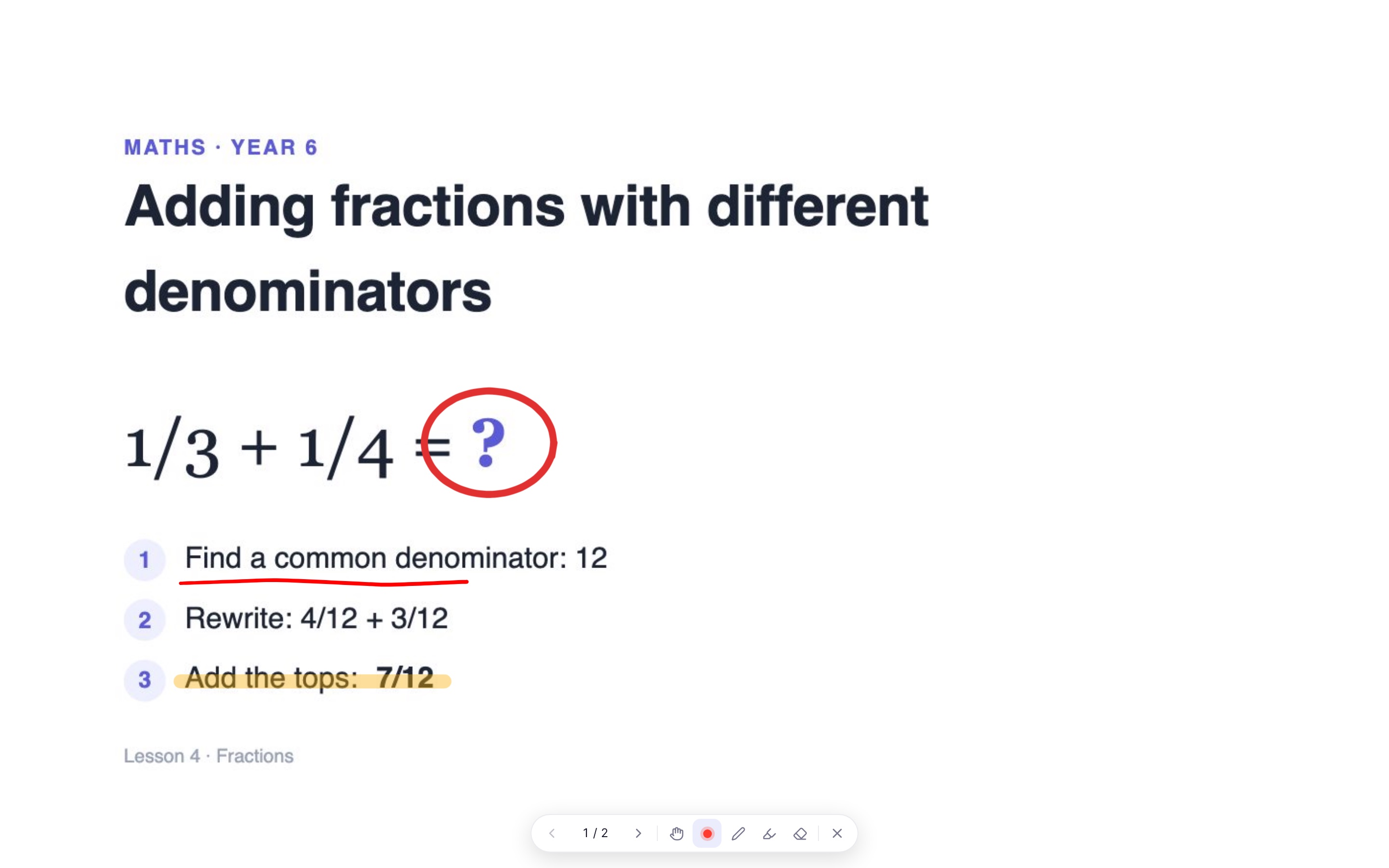
PDF as slides
Each page becomes a frame on the board, up to 40 pages.
Laser pointer
A red trail that fades, so students can follow along.
Pen and highlighter
Write and highlight on any slide while presenting.
Nothing saved by accident
Marks from the presentation clear when you exit, or press C.
Clean screen
Only the slide and a small bar, ready for screen sharing.
Keyboard
1 move, 2 laser, 3 pen, 4 highlighter, arrows to change slides.
PDF & Word · new in 0.8
Your files, inside your notes.
Import PDF and Word documents as editable pages, or embed a PDF and read it without leaving the page.
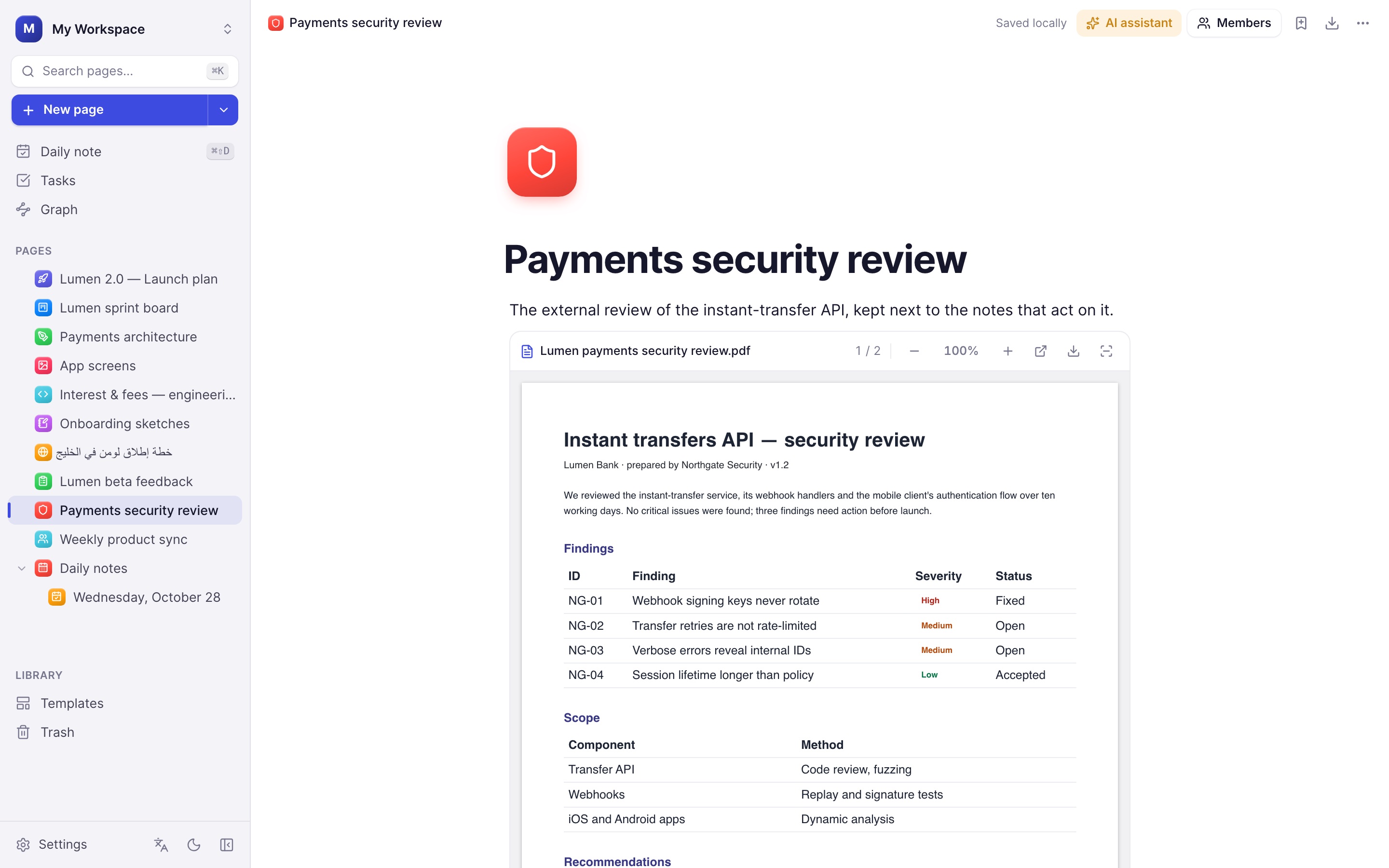
Editable import
Headings, lists, tables and images come across from .pdf and .docx.
PDF viewer
Pages render as you scroll, with zoom and a page counter.
Large files
Up to 200 MB in the desktop app, stored on your device.
AI agents
Let your agent work in Plenous.
Turn on Agents in Settings and connect Claude Desktop, Claude Code, ChatGPT, Cursor or any MCP client. Copy-ready setup is shown for each one.
27 tools
Search, read and write pages, edit databases, create and fill in forms.
Access levels
Read only, edit, or full access including deleting.
Ask first
Approve each change in the app before it happens.
Local and private
Listens only on your computer, with a token you can reset.
Activity log
See every request an agent made.
Off by default
Nothing is reachable until you turn it on.
Database design
An ER designer that speaks SQL.
Lay out tables on a canvas, relate them with crow's-foot lines and keep the design next to the docs that explain it.
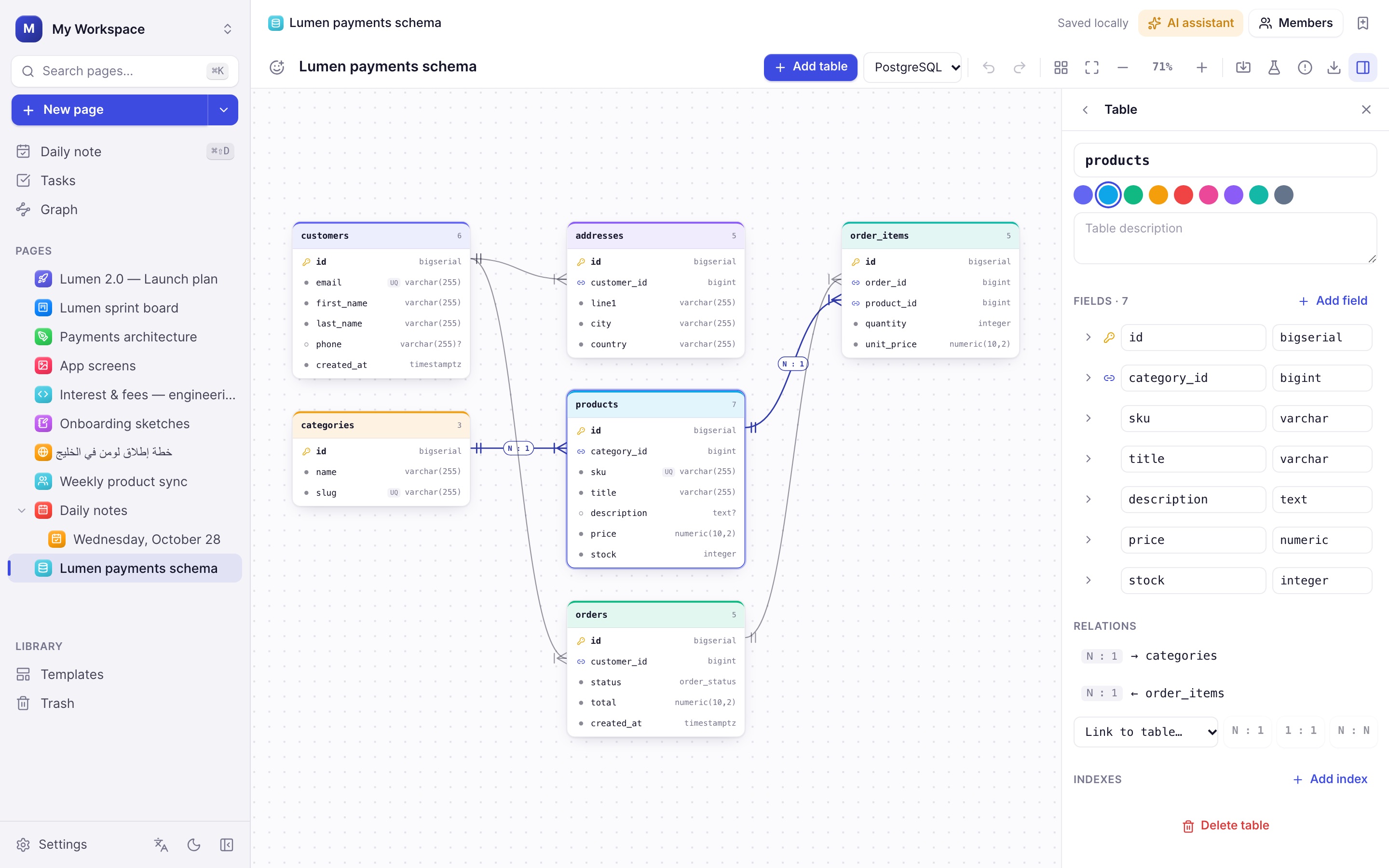
Four databases
PostgreSQL, MySQL, SQLite and SQL Server types; switching converts them.
Every relation
1:1, 1:N, N:1 and N:N; many-to-many becomes a junction table.
Drag to relate
Drop a field on another table to create the foreign key and relation.
Keys & constraints
Primary, composite and unique keys, NOT NULL, defaults, auto-increment.
Indexes & enums
Unique and multi-column indexes; enums as field types.
Referential actions
ON DELETE and ON UPDATE: cascade, restrict, set null and more.
Validation
Missing keys, type mismatches and impossible rules are flagged.
Import & export
Read CREATE TABLE scripts; export SQL, DBML, Mermaid or JSON.
Sample data
Generate realistic rows and INSERT statements with valid foreign keys.
Environments
Configuration without the copy-paste.
One page per project holds its variables for every environment, so a missing key or a reused secret shows up before it reaches production.
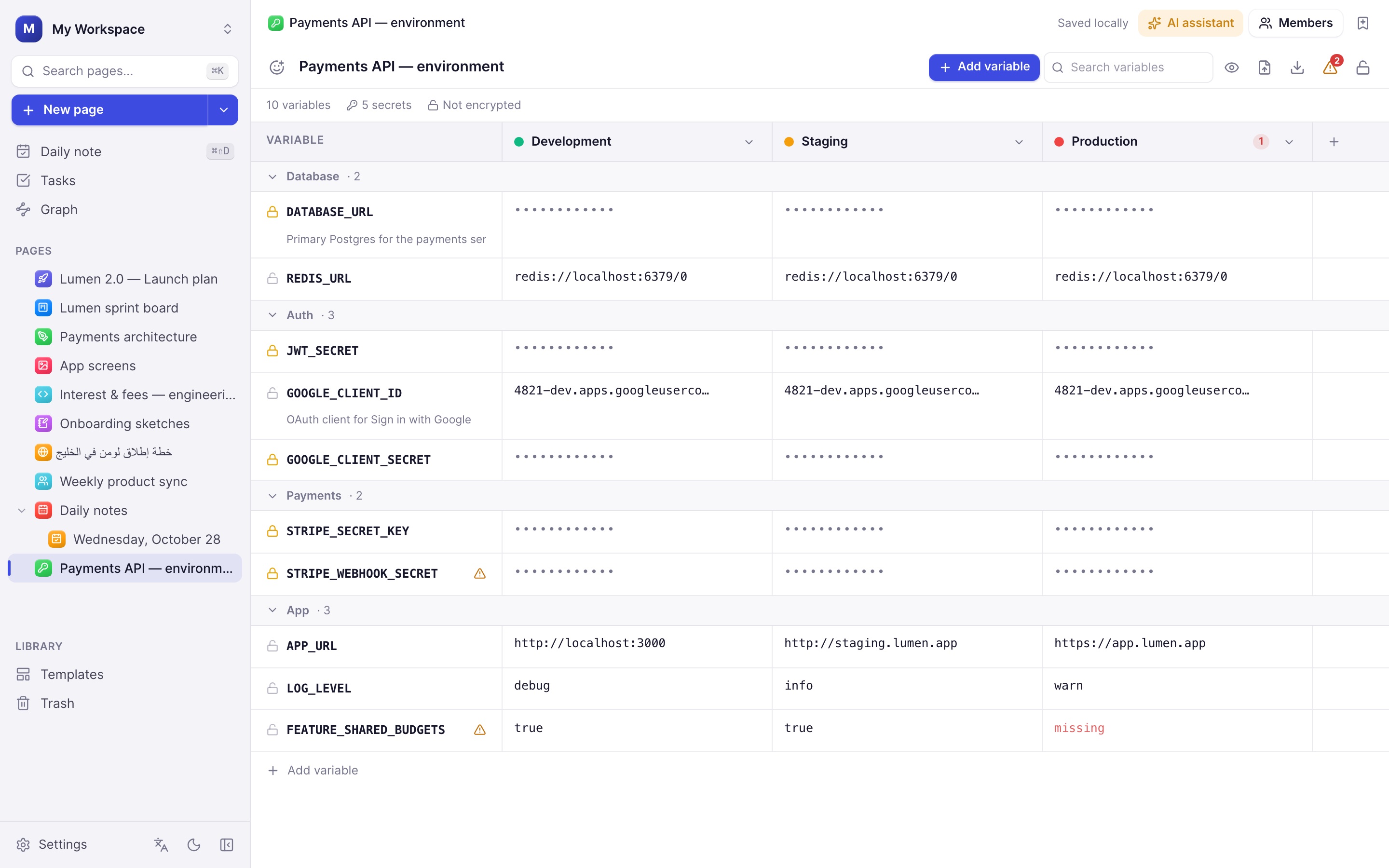
Any environments
Development, Staging, Production or your own; duplicate one to start the next.
Masked secrets
Keys with SECRET, TOKEN, PASSWORD or KEY are hidden until revealed.
Passphrase lock
AES-256-GCM with a PBKDF2 key — the server only stores ciphertext.
Secret generator
Strong passwords, 128/256-bit hex and base64 keys, JWT secrets, UUIDs.
Groups & notes
Organise variables into groups and explain what each one is for.
Import .env
Comments become notes; # --- Group --- lines become groups.
Seven export formats
.env, .env.example, JSON, YAML, shell, docker -e and Kubernetes.
Checks
Missing values, invalid or duplicate names and secrets reused in production.
Copy across
Copy one environment's value to all of them in a click.
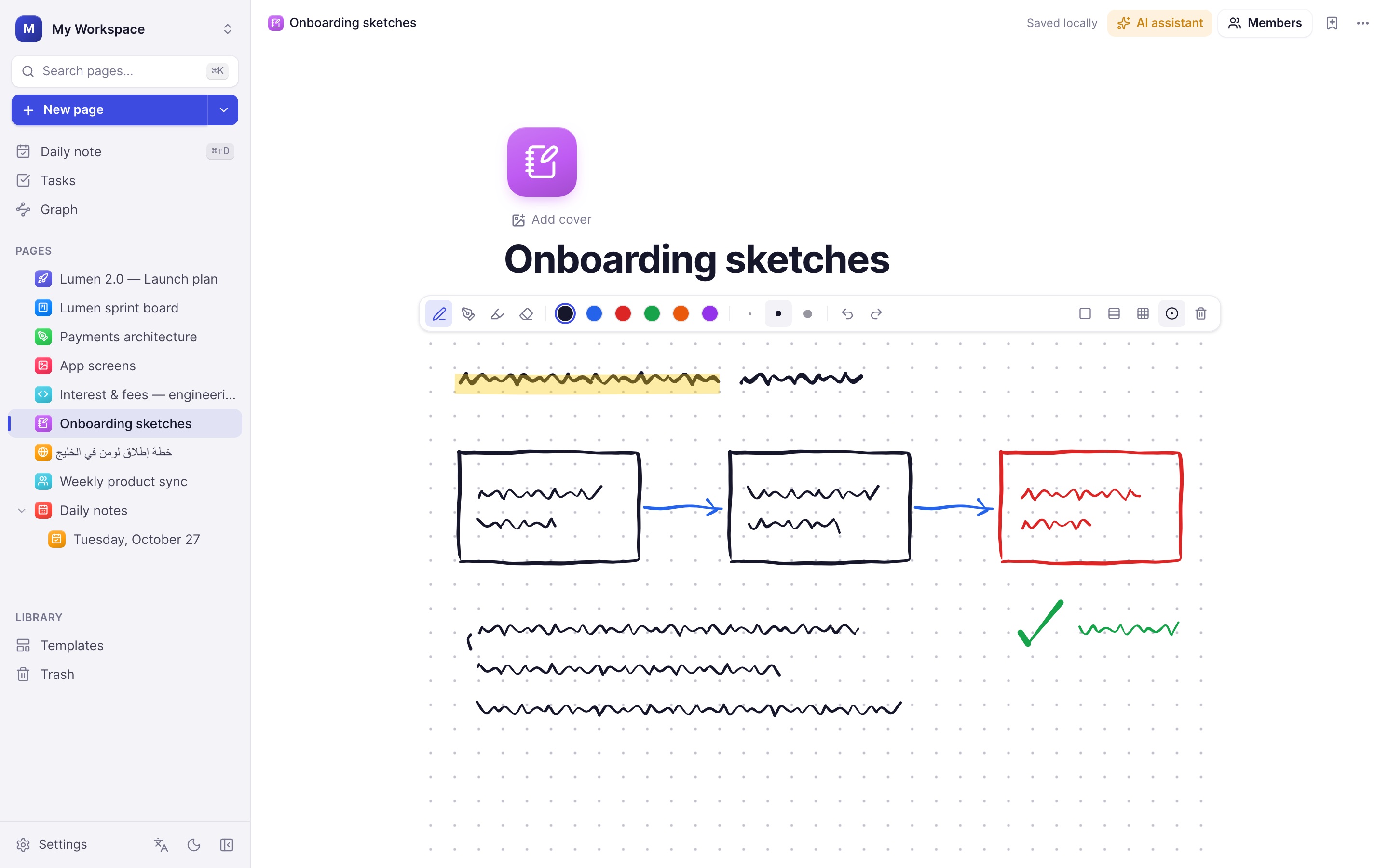
Handwriting
Think with a pen.
Notebook pages for study and planning, plus drawing blocks inside any document. Strokes are vector-sharp at every zoom and sync like text.
- Pen, marker, highlighter and stroke eraser
- Apple Pencil pressure, tilt shading and hover preview
- Pencil double-tap and squeeze switch to the eraser
- Palm rejection: the pen draws, fingers scroll
- Blank, lined, grid and dotted paper
AI
An assistant where you write.
Select text and press ⌘J, right-click, or press Space on an empty line. New in 0.9: connect a free OpenRouter account in one click — keys stay in your device's secure storage.
Edit in place
Improve writing, fix grammar, shorten, expand, change tone or translate, with a preview before you accept.
Ask about a page
Summarise, extract action items or ask questions in the side panel.
Draw diagrams
Turn a sentence into an editable flowchart or sequence diagram.
Works with Anthropic Claude, OpenRouter, Ollama, LM Studio and any OpenAI-compatible endpoint.
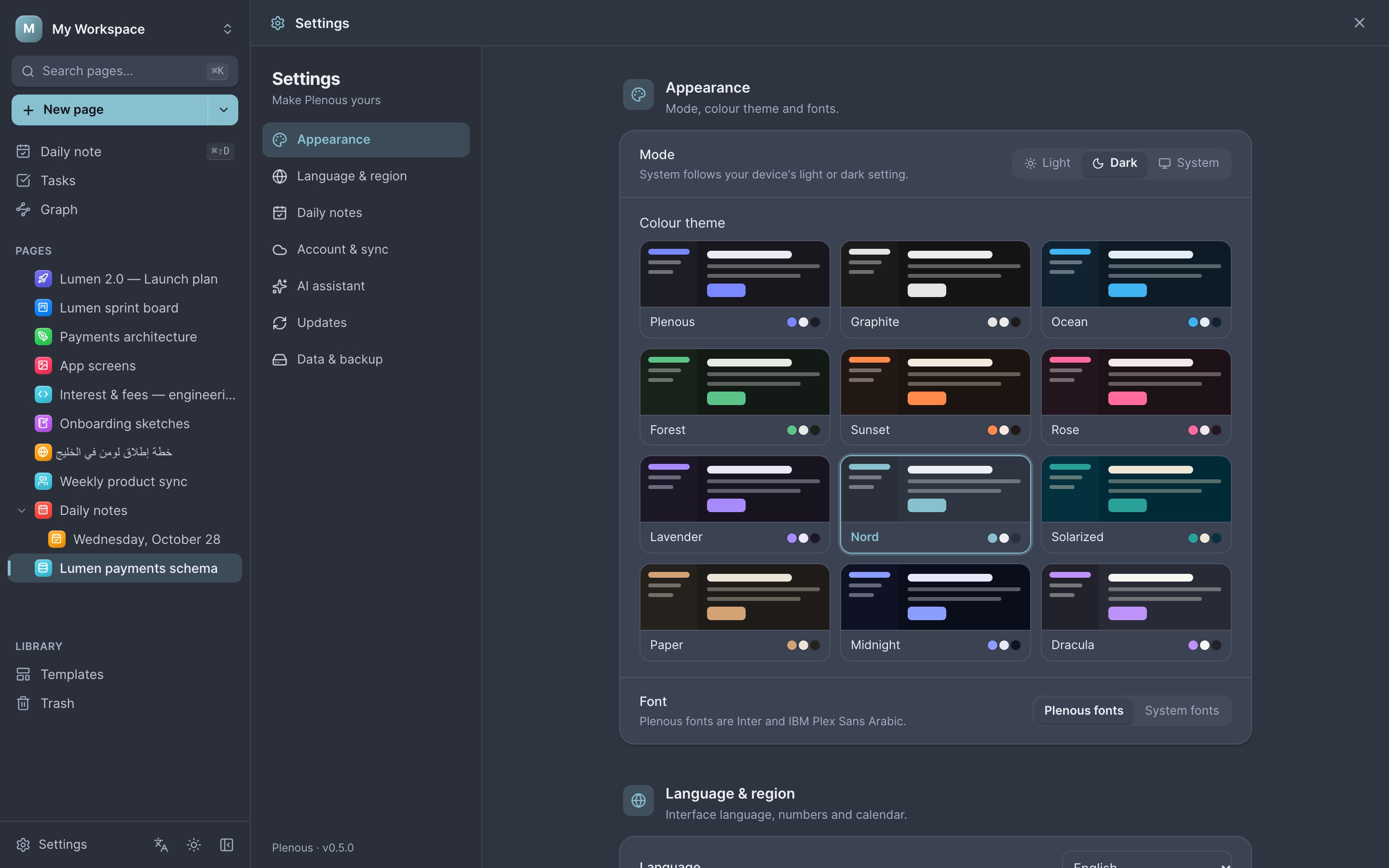
Themes
Make it yours.
Twelve colour themes — Plenous, Graphite, Ocean, Forest, Sunset, Rose, Lavender, Nord, Solarized, Paper, Midnight and Dracula — each in light and dark.
Teams & sync
Private by default, shared when you choose.
Local-first storage
Everything is saved on your device in SQLite.
Live co-editing
See teammates' cursors and edits in real time.
Workspaces & roles
Owner, admin, editor, commenter and viewer.
Invitations
Invite people by email to a workspace.
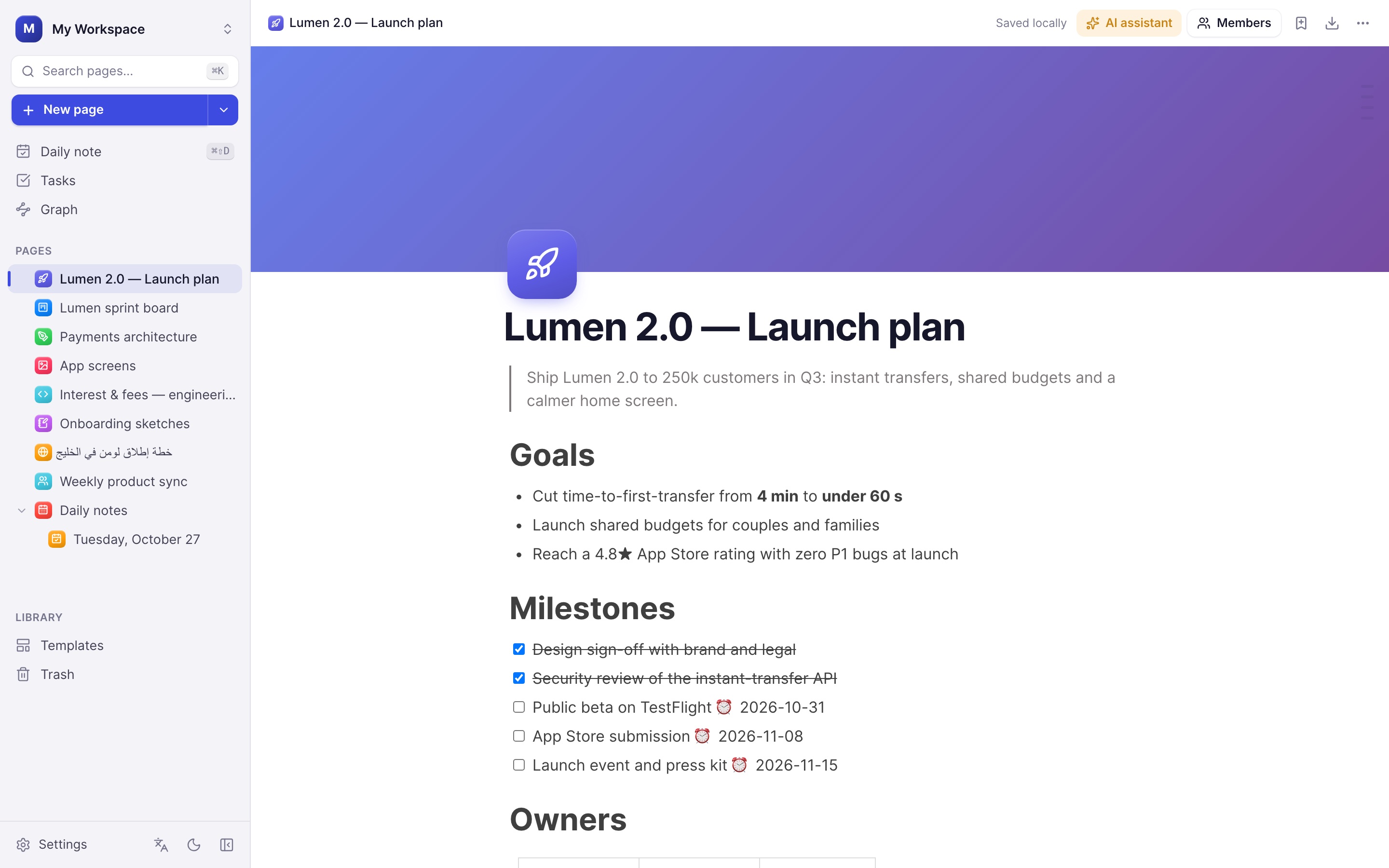
Arabic & English
Bidirectional, done properly.
Switch the whole interface between English and Arabic. Each paragraph picks its own direction, mixed text stays in order, and you can force a page left-to-right or right-to-left.